Alright good people of the podcast world today we are breaking down a commercial that had us pressed for time and resources.
This spot is for a home builder and we had lots to get through without a ton of support. We used shallow depth of field and some interesting angles to help get us out of a few less than ideal situations.
Enjoy the behind the scenes look!
Patreon Podcast: The Shape of No Fill
Over on the Patreon podcast this week we are looking at one of the best looking films I have come across in the last year.
The Shape of Water is gorgeous with some very challenging scenarios and environments. We take a deep dive in to the approach for night lighting throughout the movie and discuss how working on a set has extreme advantages.
You can find this week’s Patreon content by clicking the link below:

If you are a fan of the podcast and want more video content the patreon group is the place to be. Each and every week I release an exclusive podcast, video, or live stream just for the Patreon members.
Patreon members also get access to the Private Facebook community for the show. The podcast couldn’t exist without the Patreon support and I do my best to take care of the supporters.
Our Sponsor:
Shot Lister are generously giving away 50 free downloads to the Wandering DP Podcast community. All you have to do to claim your copy is email wanderingdp@shotlister.com. Get in before they are all gone!
The Cooke Look – Gear List
All the gear for this was standard issue for a TVC. The only added elements were the Ronin 2 and the Master Wheels which performed flawlessly.
Camera Gear:
Check out the gear I use on all of my commercial shoots by clicking the link below:
Wandering DP Commercial Cinematography Gear
The only kit not listed on that page is the set of 2x Cooke Anamorphics.
The Spot – A Little Something
Set Up #1 – Doughnuts
The Shots
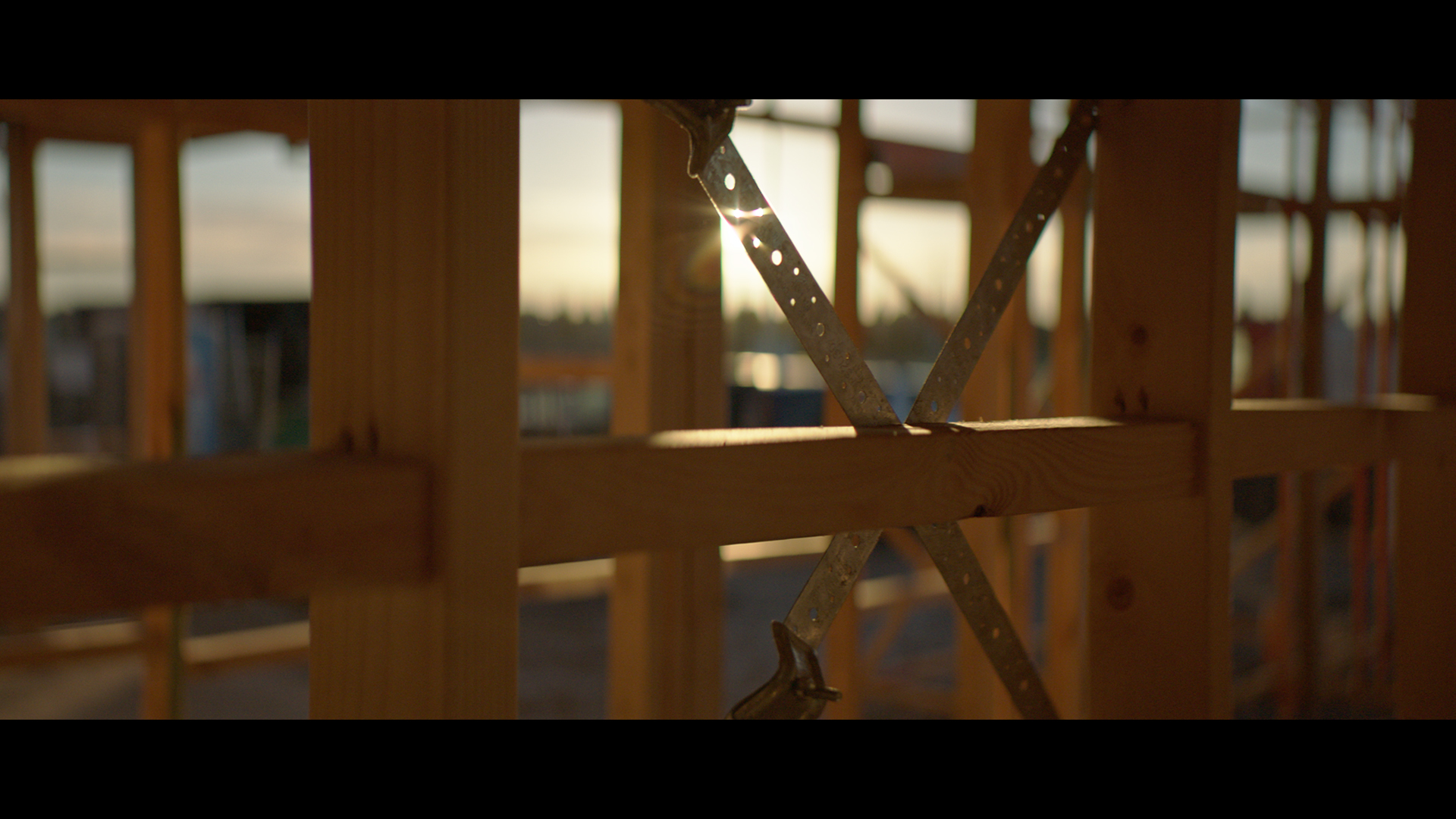
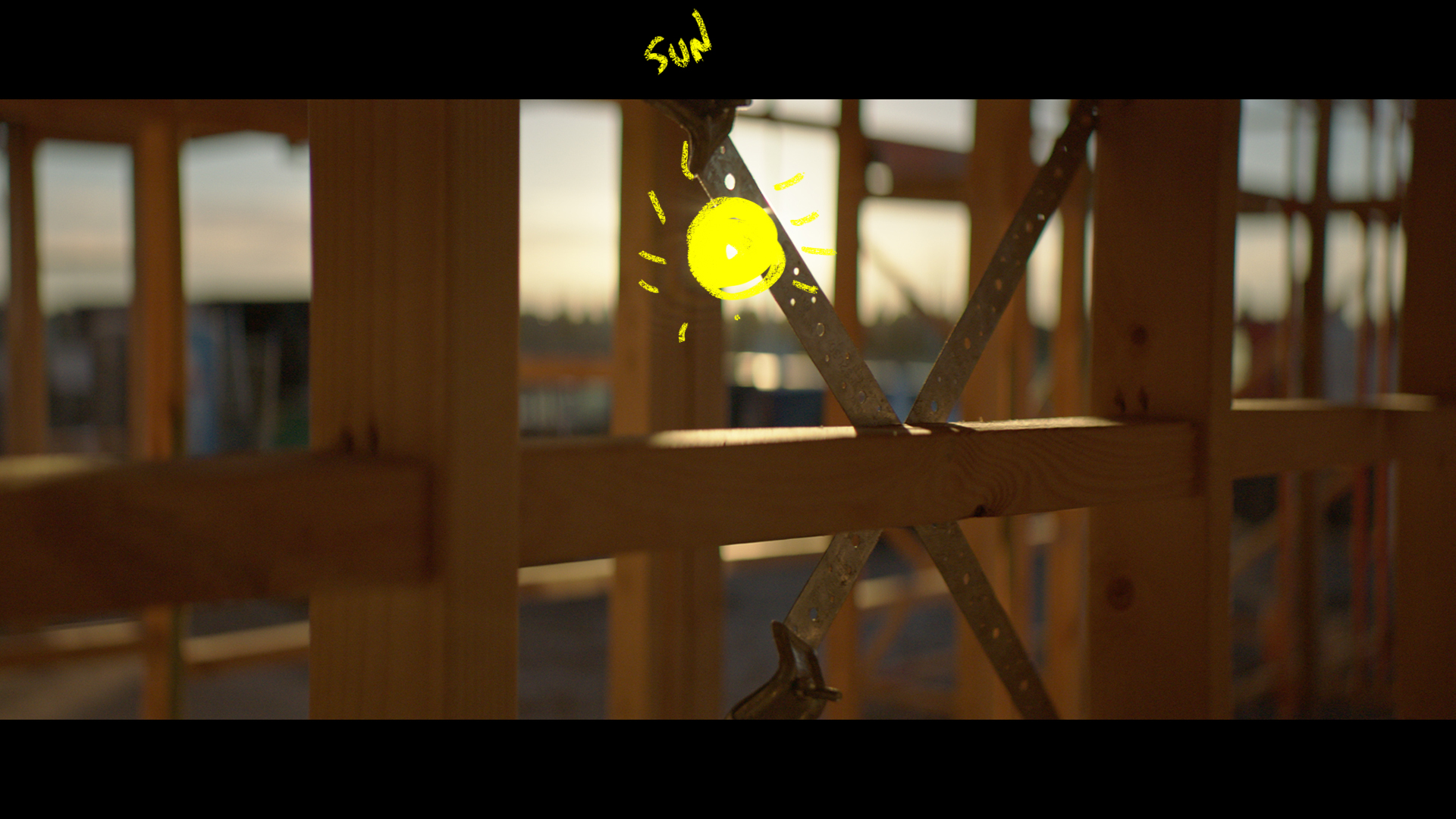
At each location we needed an intro detail shot to help change scenes. We set up first thing on day 1 with this shot to help sell the environment of the building site.
The Lighting
This was all natural. Backlight and a little bounce from the operator’s t-shirt.
The Result
Set Up #2 – The Walk Through
The Shots
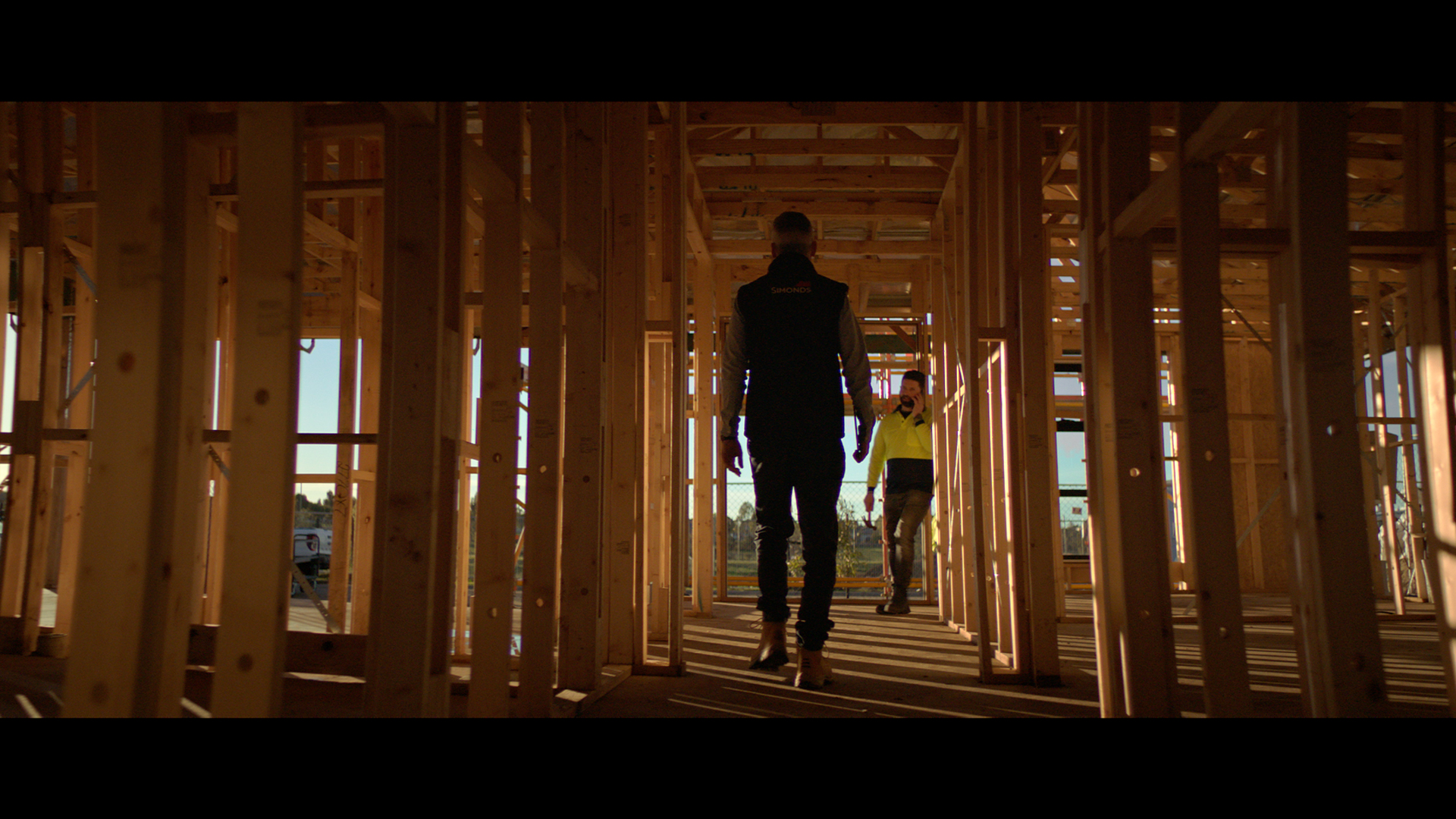
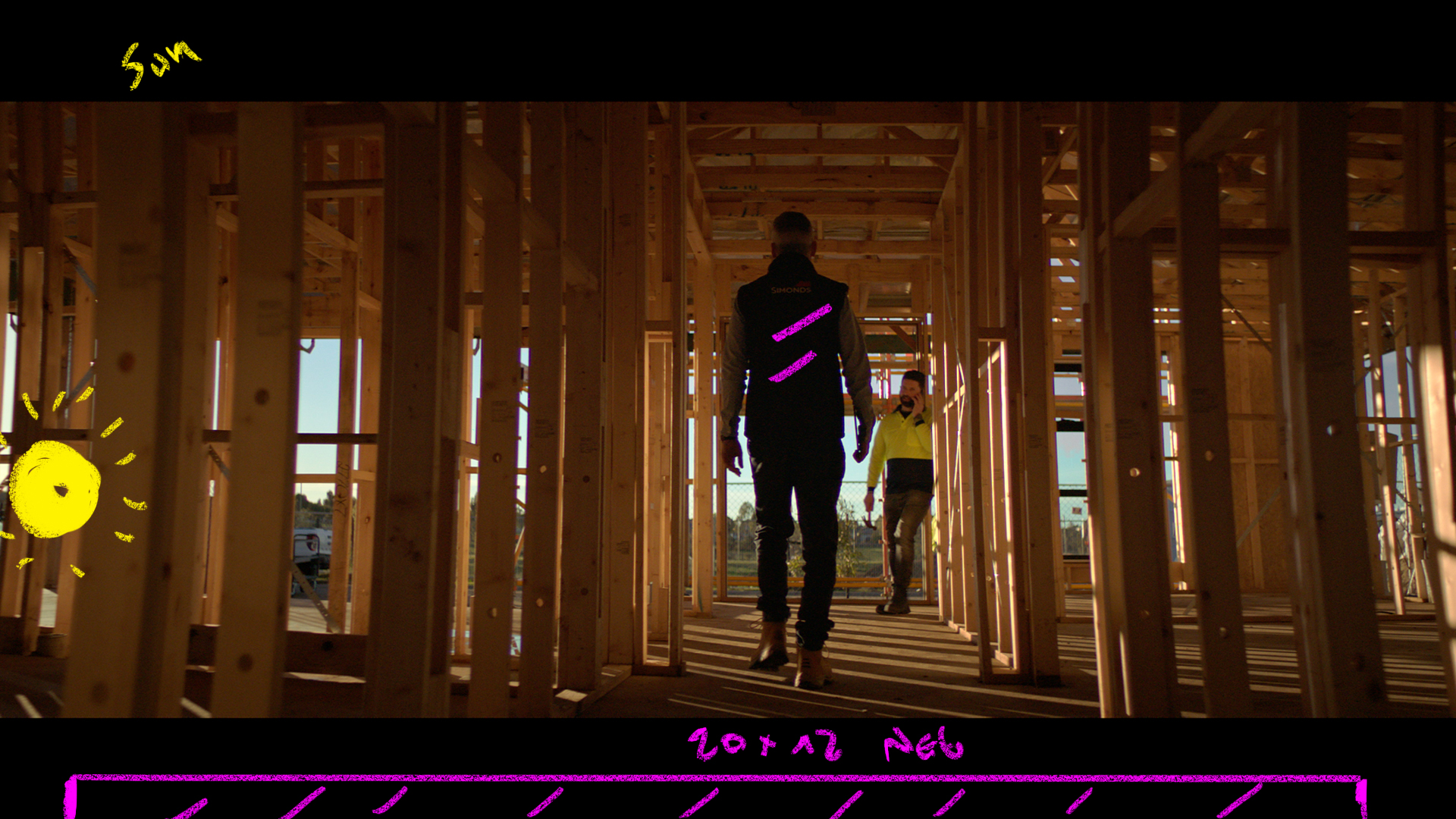
The talent walking inside the nearly constructed home.
The Lighting
Again with the time we had in the location we used the backlight from the sun in combination with some large neg to help get the contrast to where it needed to be. A single 20×20 Black did the trick.
The Result
The Storyboard
Set Up #3 – The Detail
The Shot
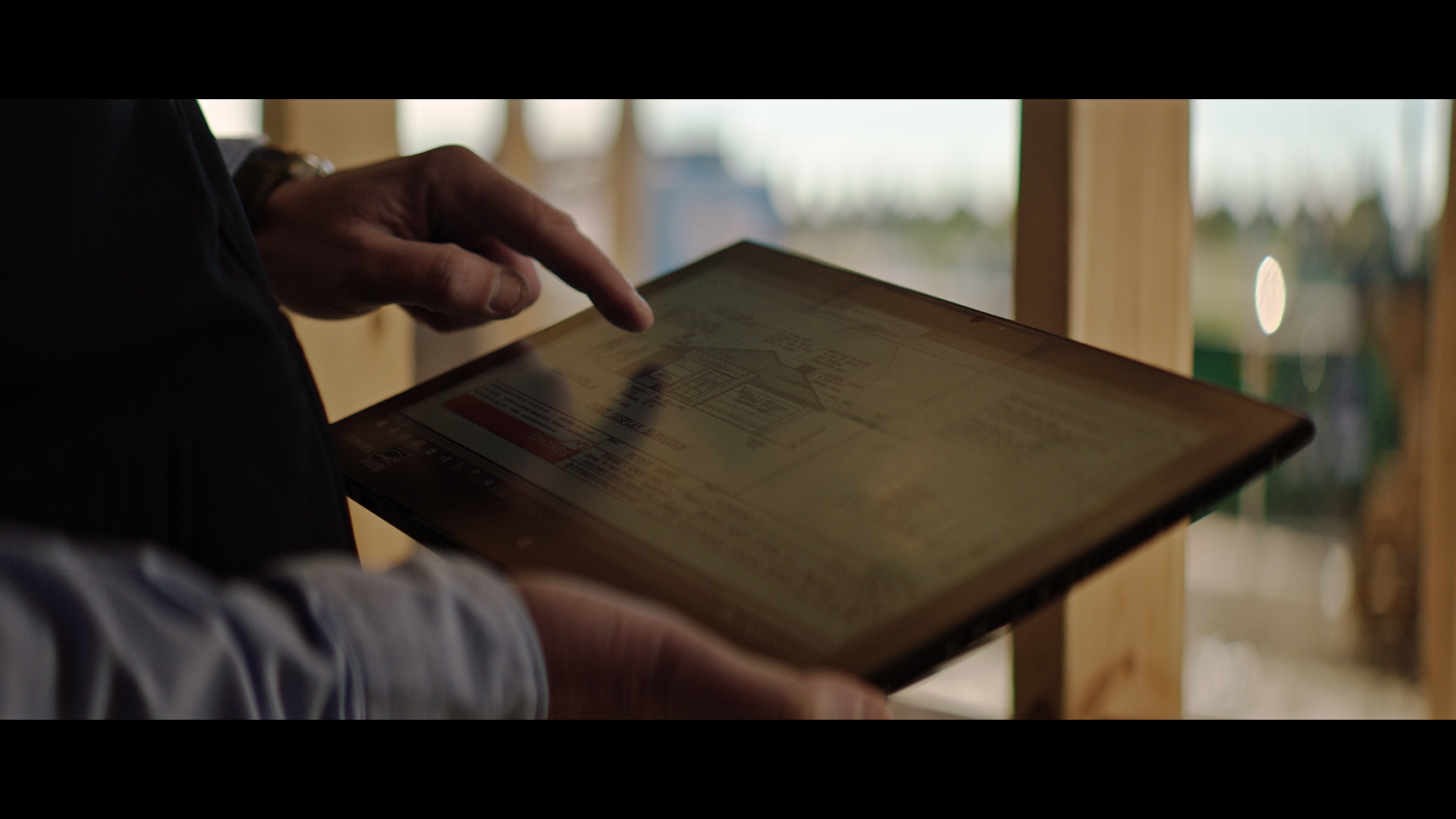
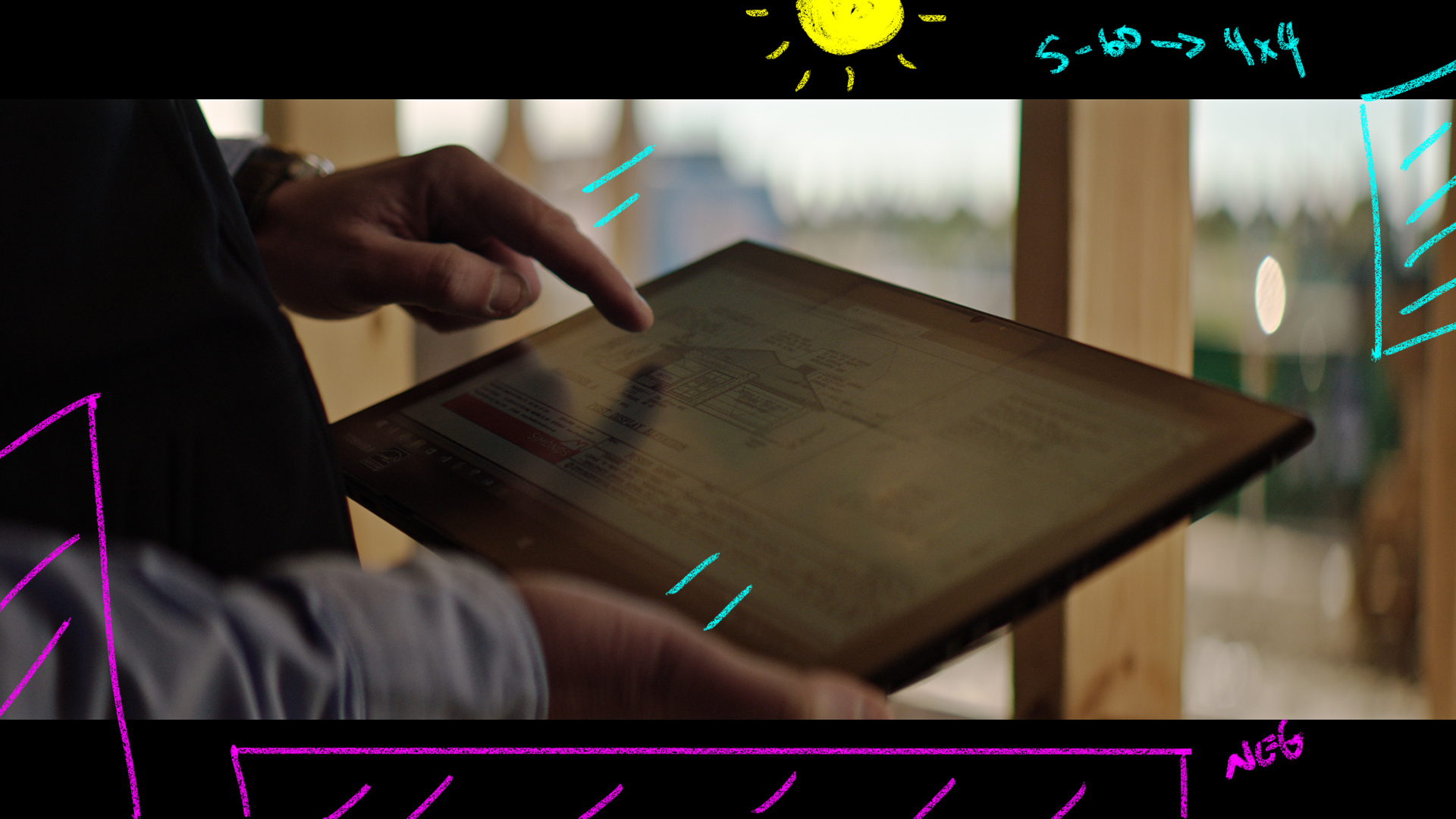
A close up of the builder in action reviewing plans on his ipad.
The Lighting
Here the challenge was we needed to move quickly but the sun was above the roofline on the house so we weren’t getting as much backlight as before.
To help balance out the levels from outside in the BG to inside with the talent we added an Arri Skypanel S-60 through a 4×4 frame.
Then to the left of frame and behind the camera we added two 4×4 floppies to help shape the shadows.
The Result
Set Up #4 – The Close Up

The Shots
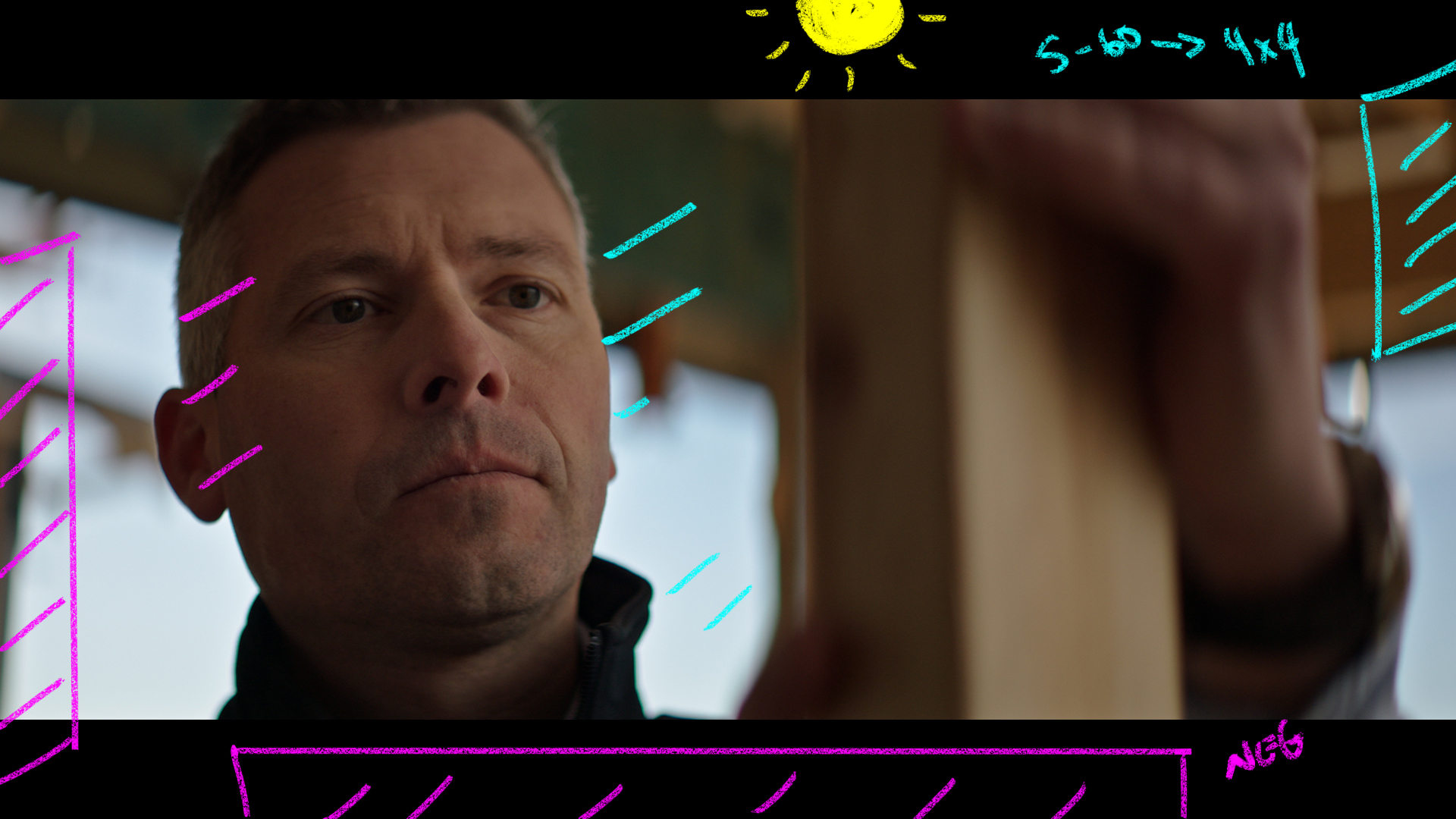
A close up shot of the builder at work inside the house.
The Lighting
We used the exact same set up as before to save time and to keep moving quickly.
The Result
The Storyboard
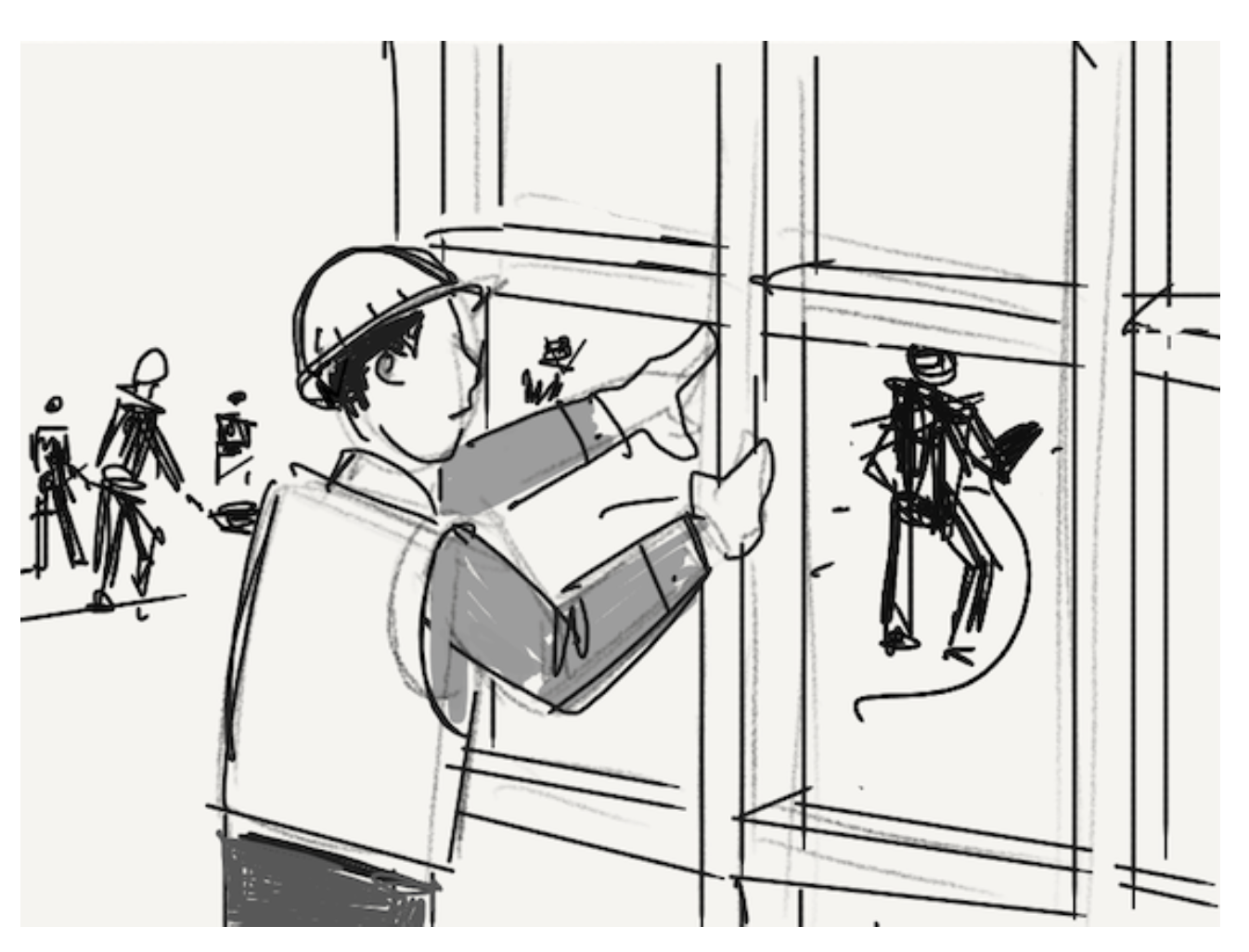
Set Up #5 – The Walk
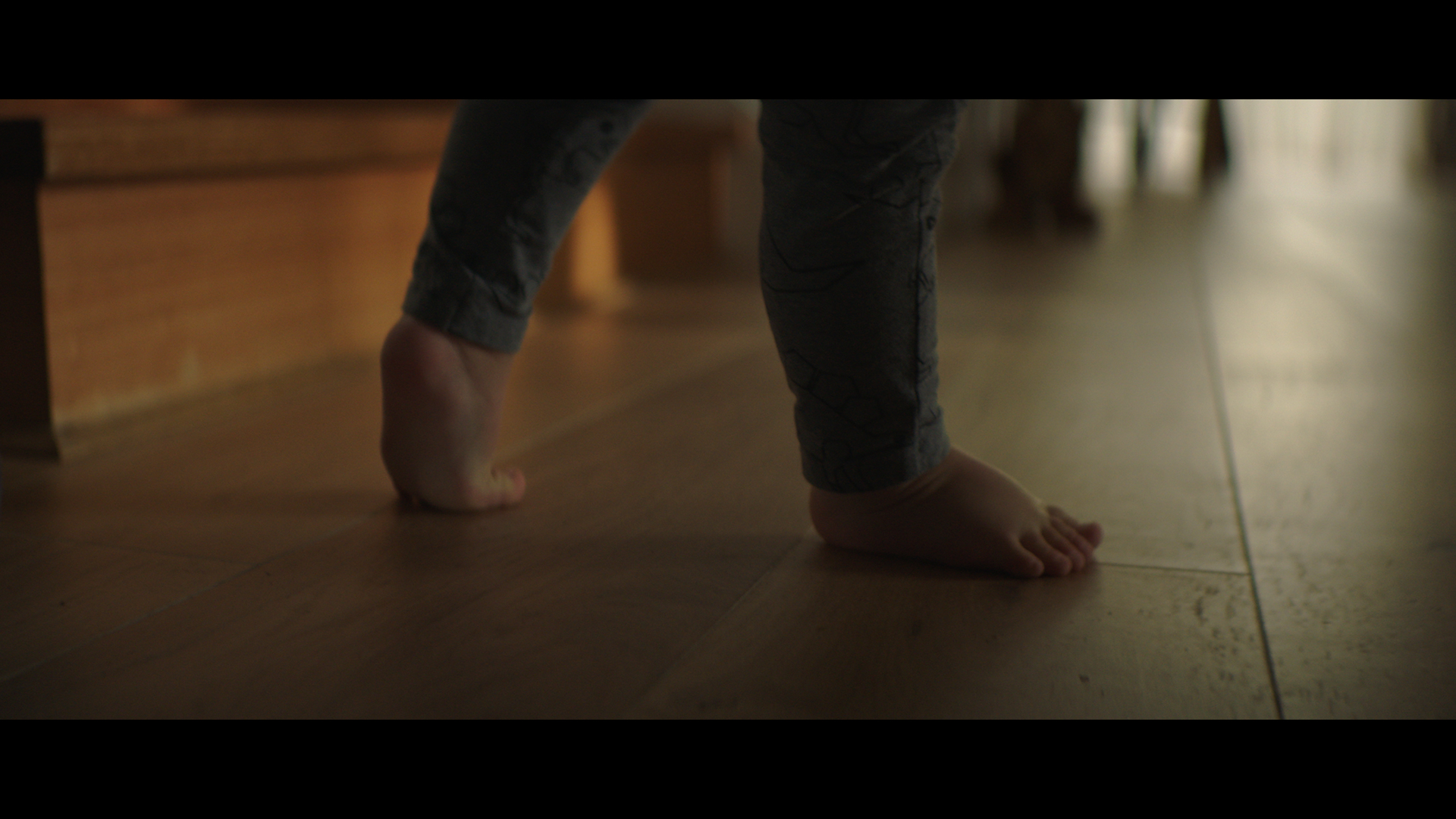
The Shots
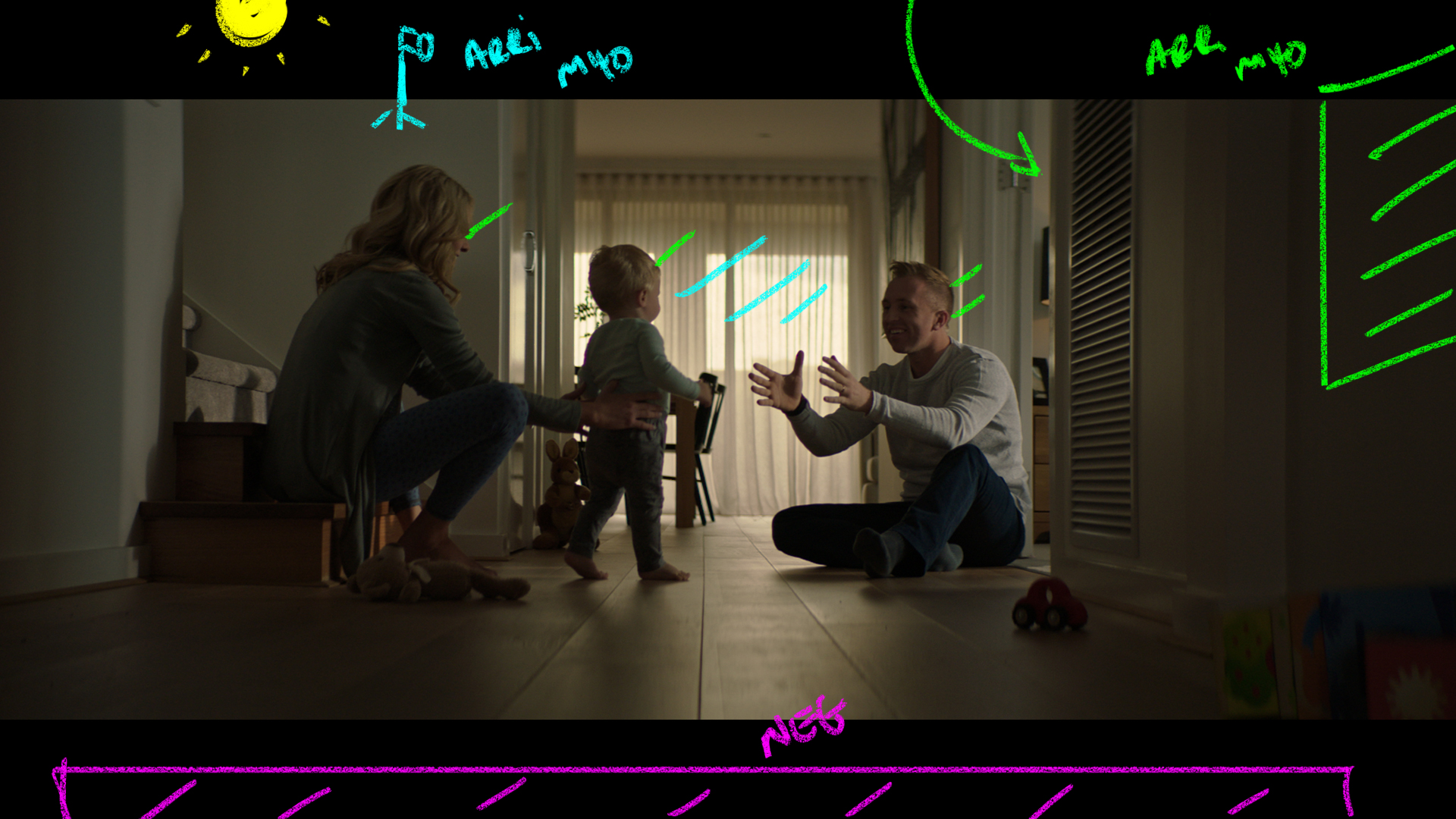
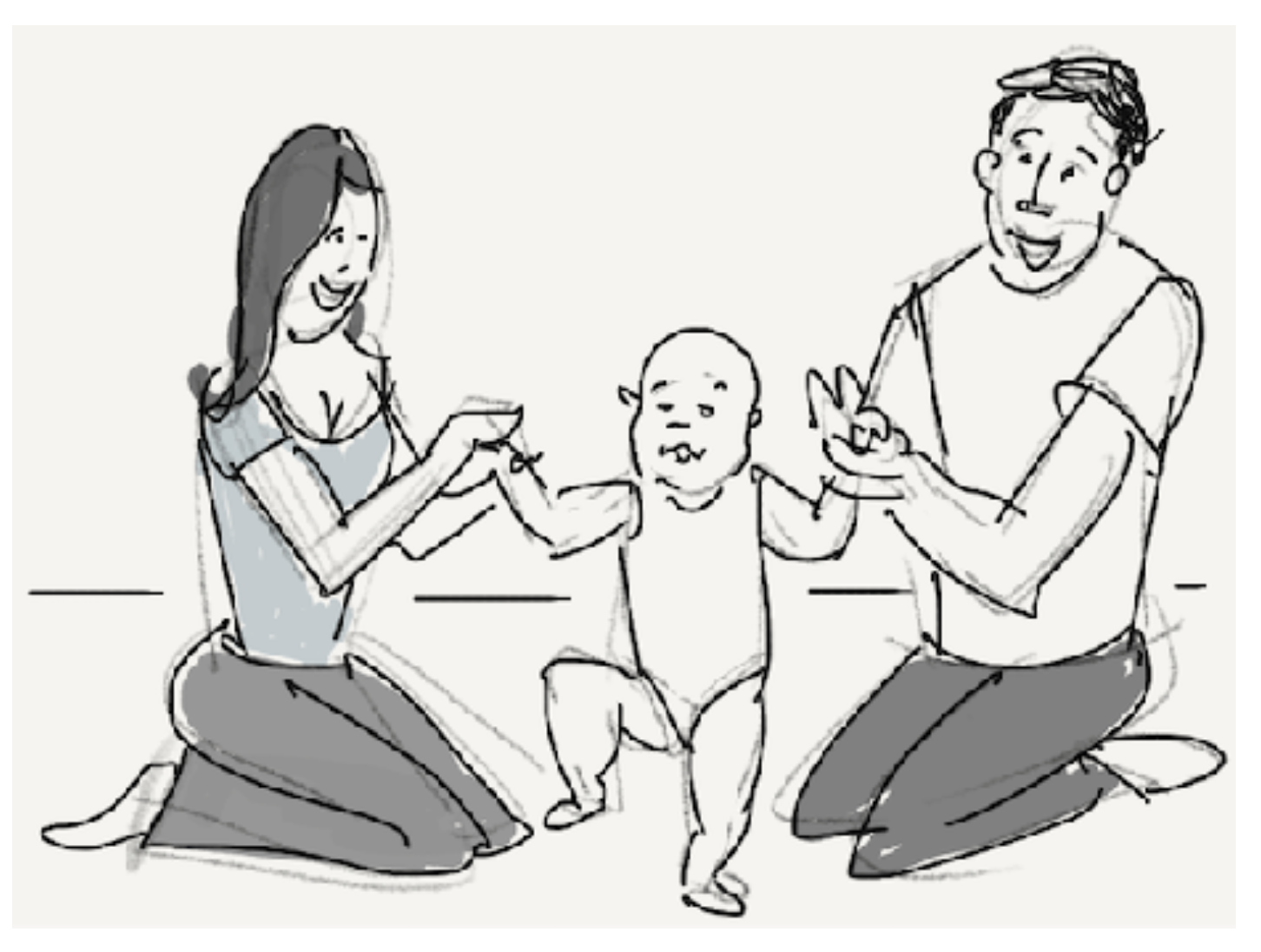
Back to our scene intros with this detailed tight shot of a baby’s foot as he walks for the first time.
The Lighting
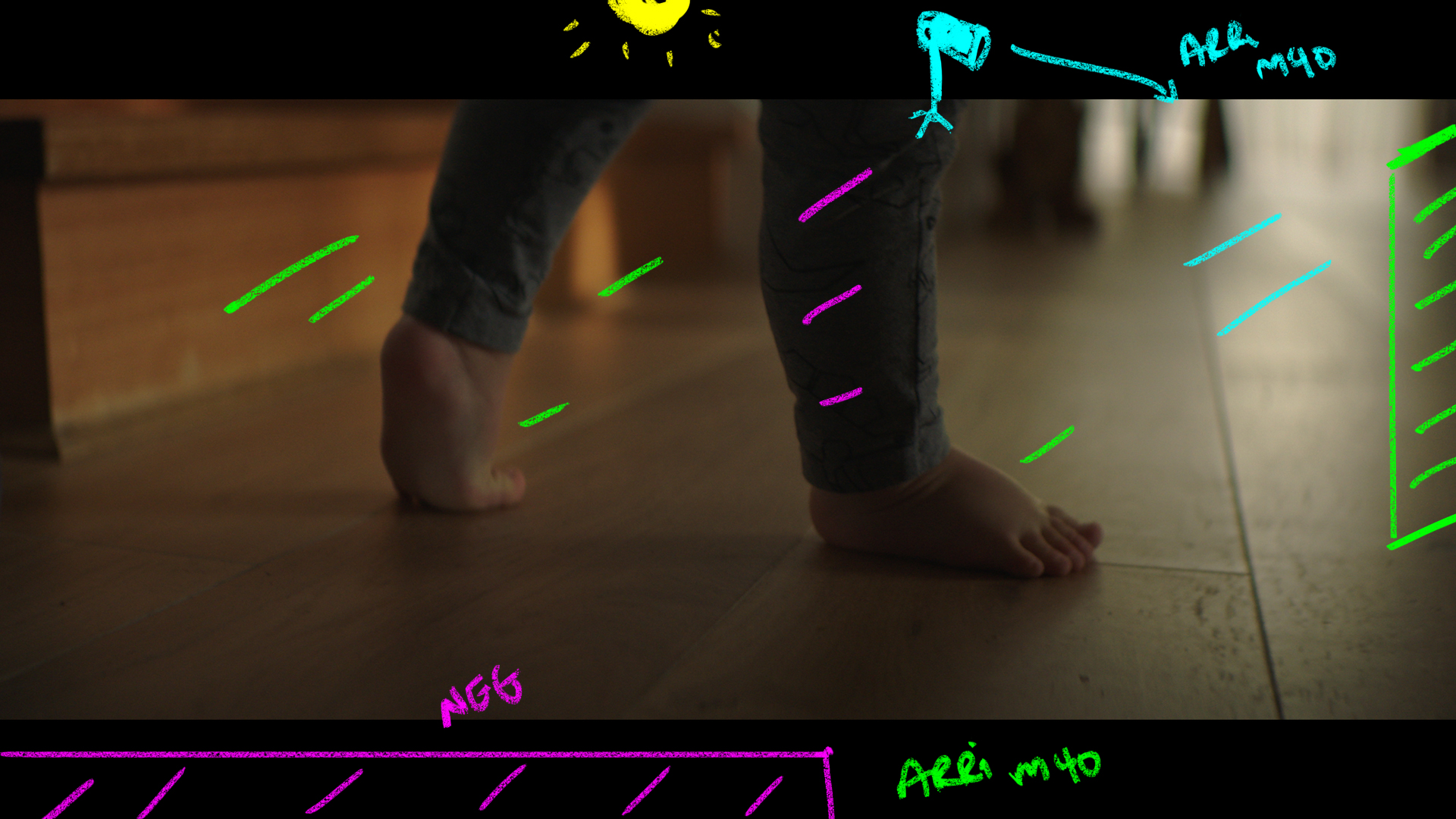
Inside this narrow hallow way we used 2 4k HMI’s to help create our pools of interest.
To keep the foreground moody we had blacks behind the camera stopping any return fill from the 4ks.
The 4ks were used to light up the scene well past ambient levels so the darkness was easier to work with and adjust.
The Result
Shot #6 – The Wide
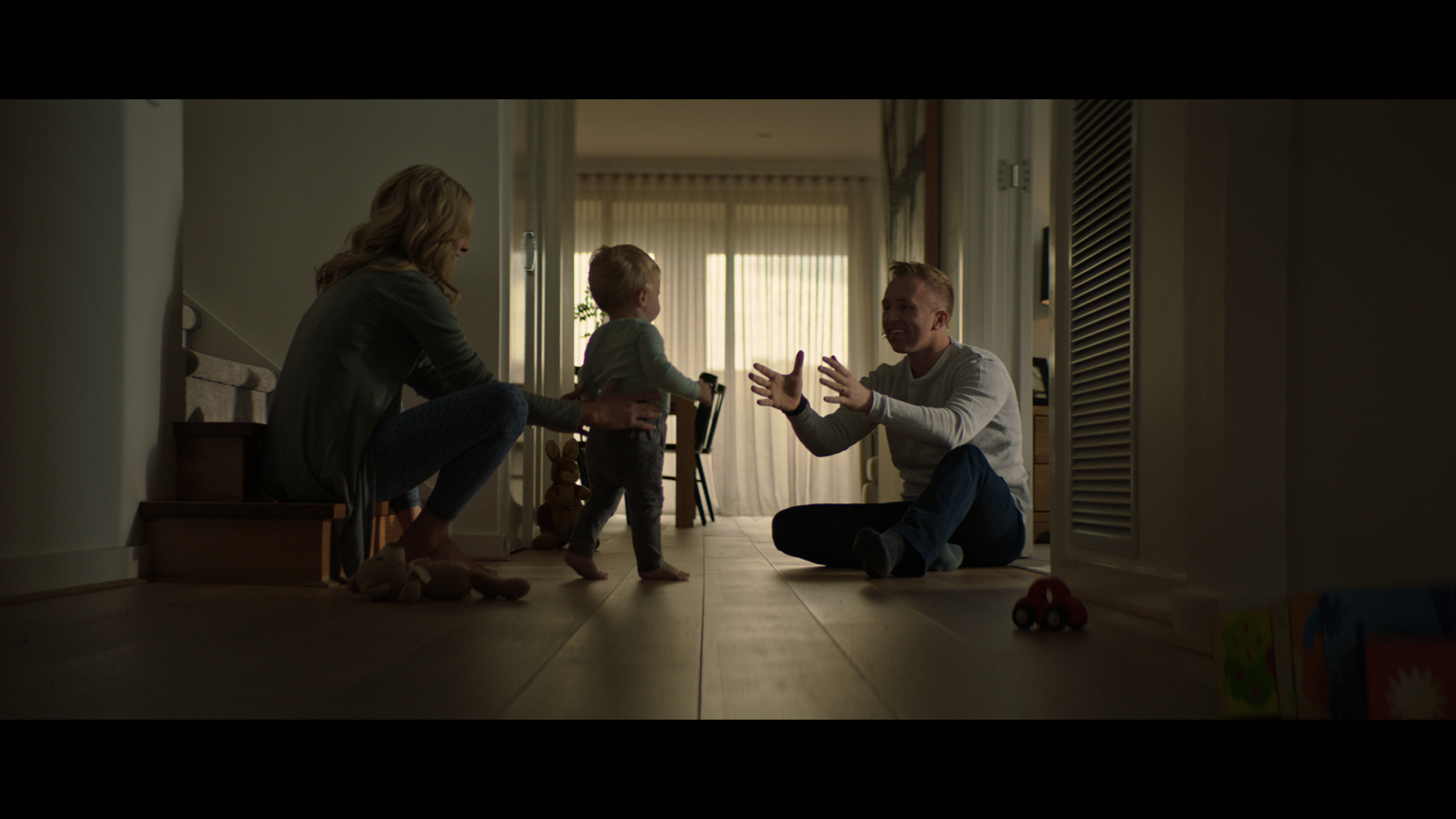
The Shots
A Wide of the exact same set up as before.
The Lighting
This spot really showcases lighting an area for all angles. We lit the space once (because that is all we had time for) and made it work for all the wides, mids, and CUs.
The Result
The Storyboard
Shot #7 – The Reverse

The Shots
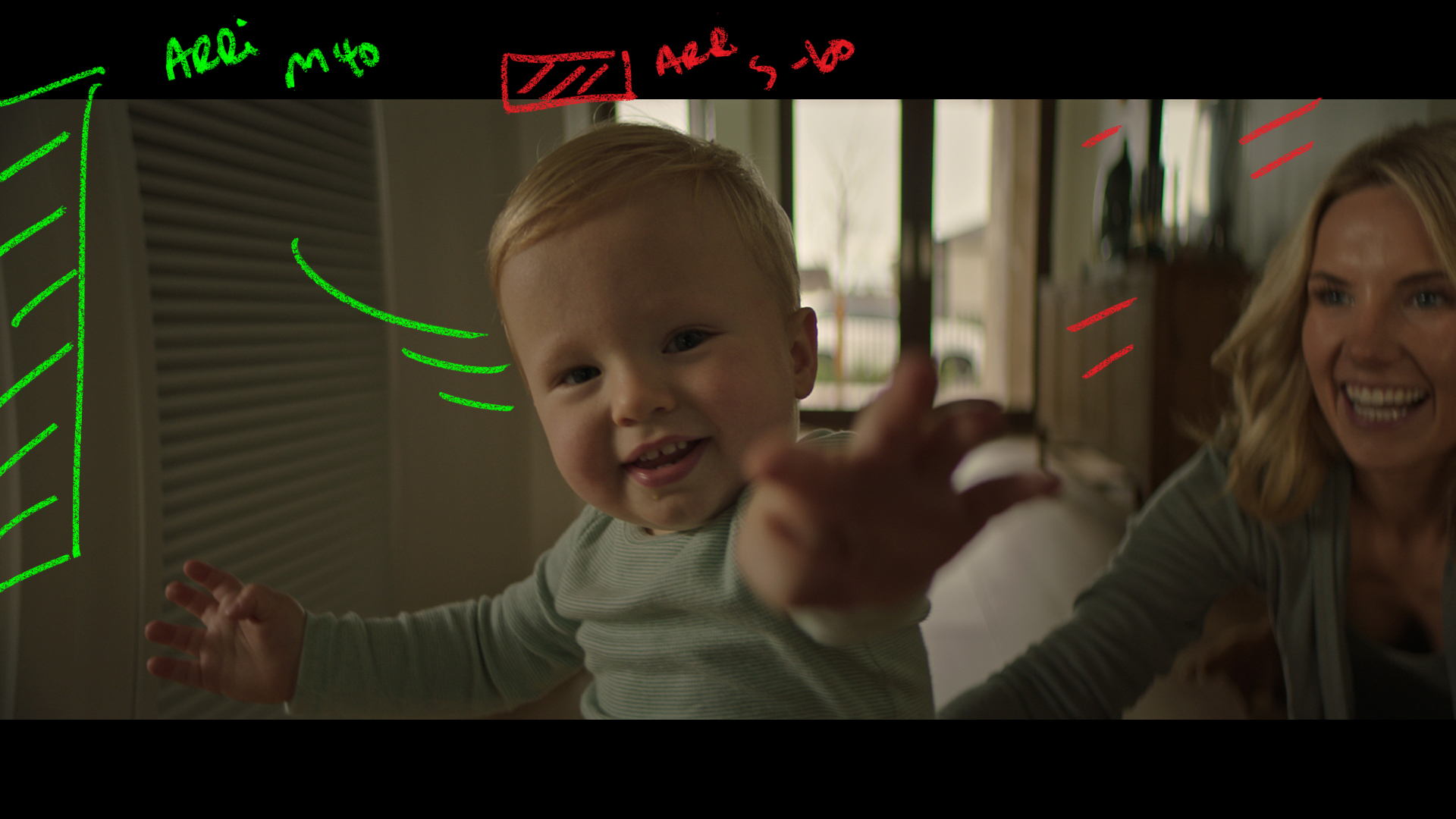
In tight with a CU of the baby as he takes his first step.
The Lighting
The challenge with this one was we had to look the opposite way which meant a near complete relight.
We used the same 4k key from camera left now and added a skypanel in the BG to help balance the levels with the overcast sky outisde.
The Result
Shot #7 – The Eyes
The Shots
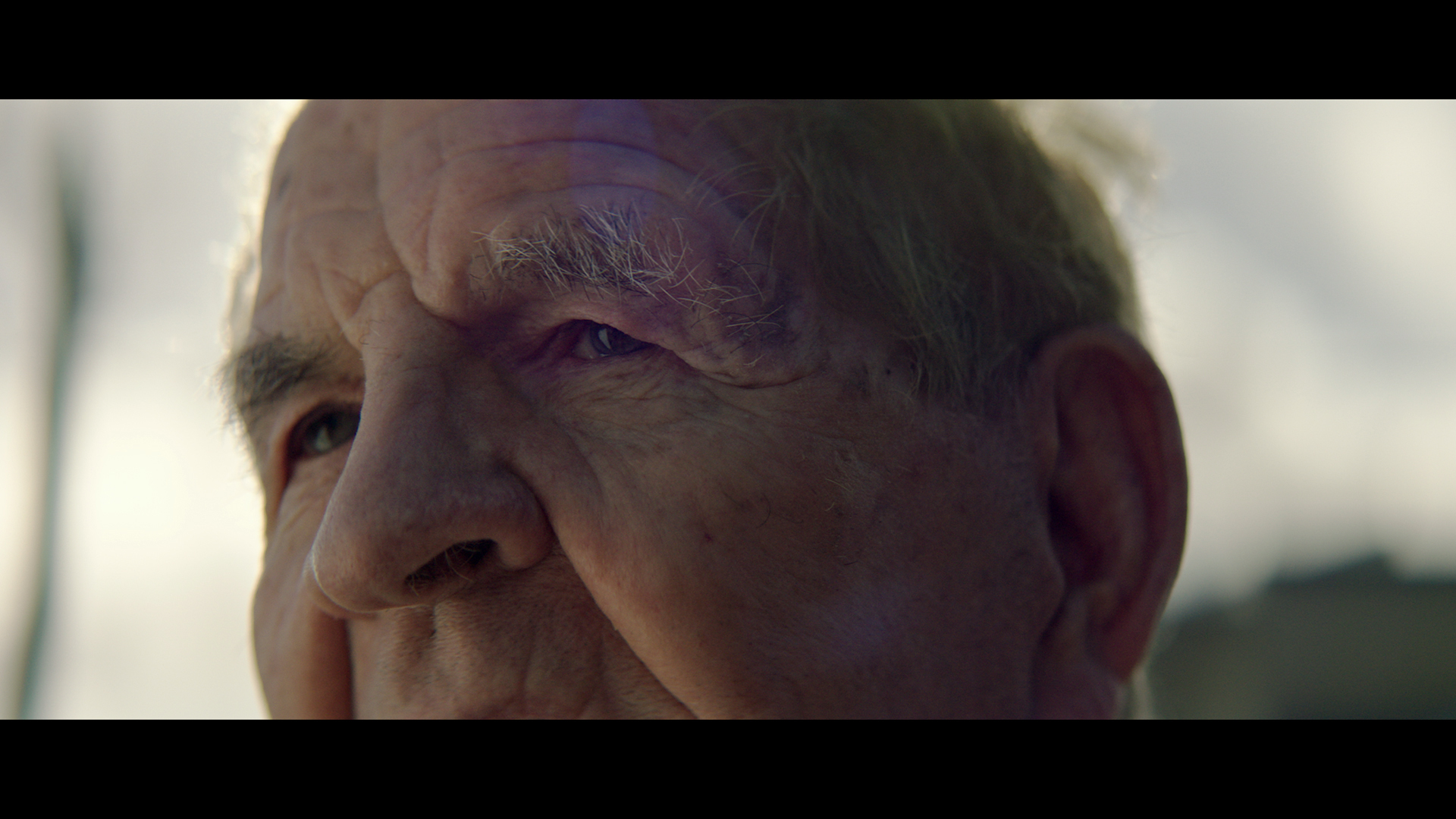
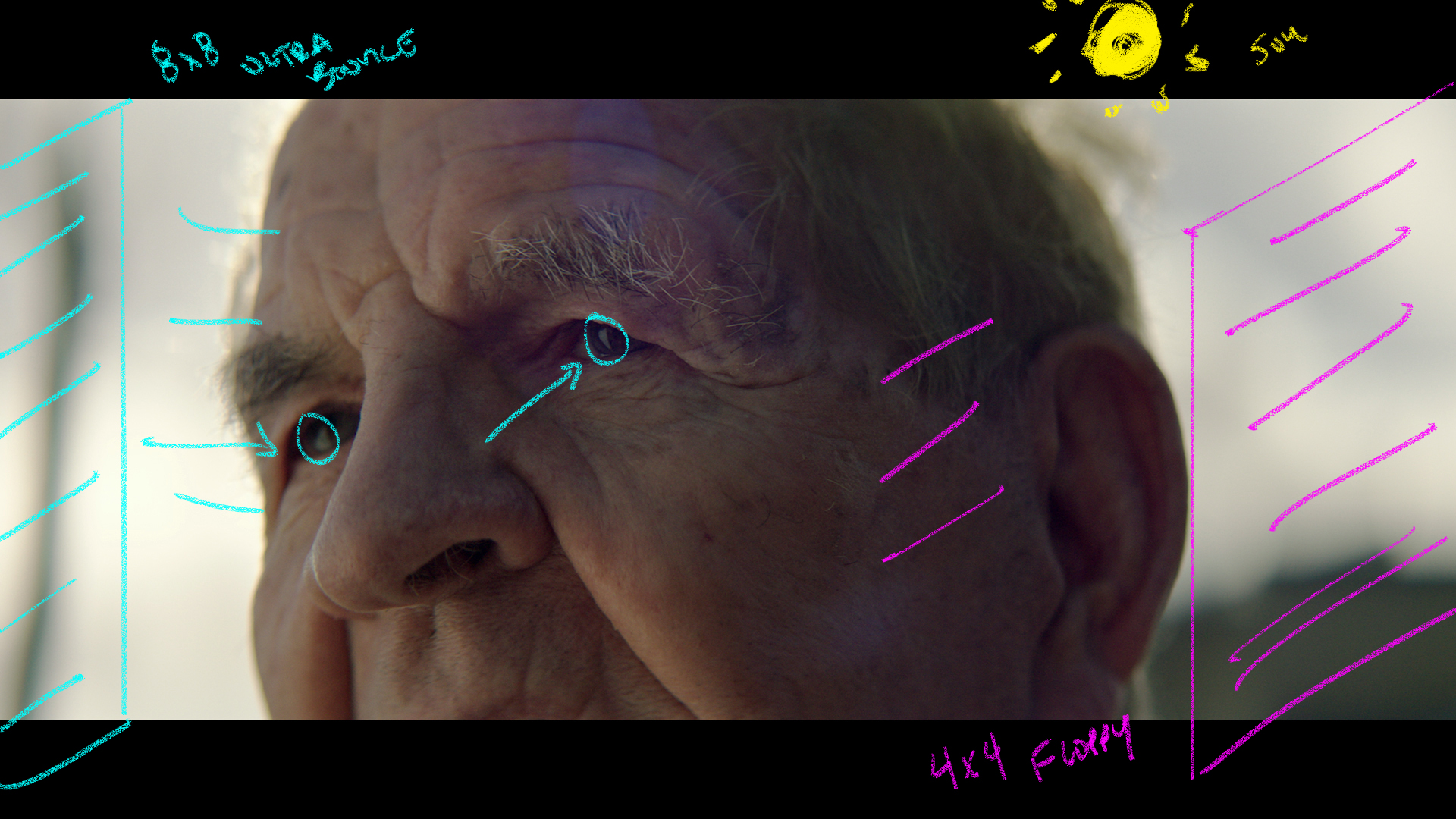
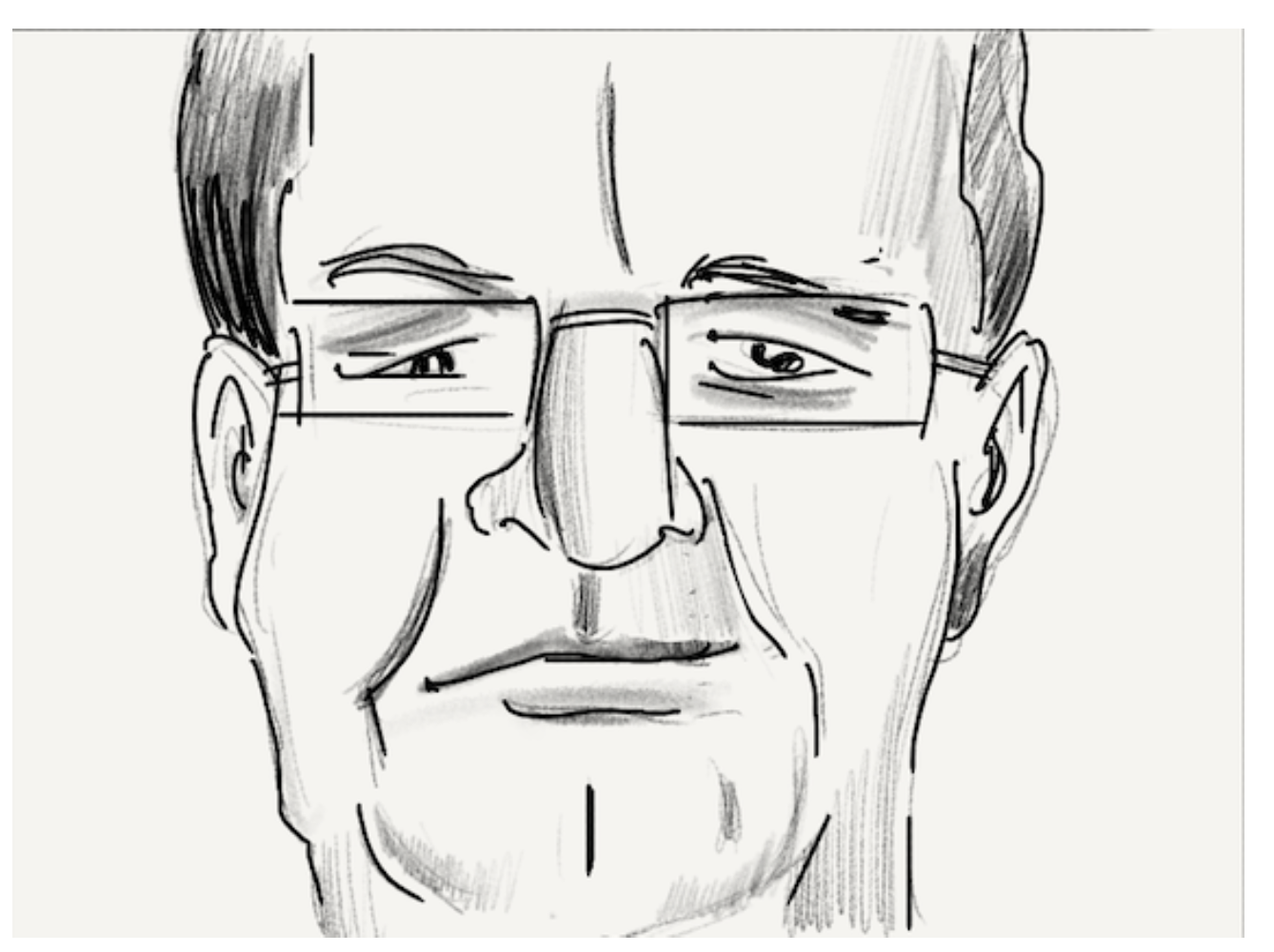
We are now outside to capture a moment of the company’s founder reflecting on the first home he ever built. We start close in on the eyes.
The Lighting
The weather on this day was changing non stop. One minute cloud, one minute sun.
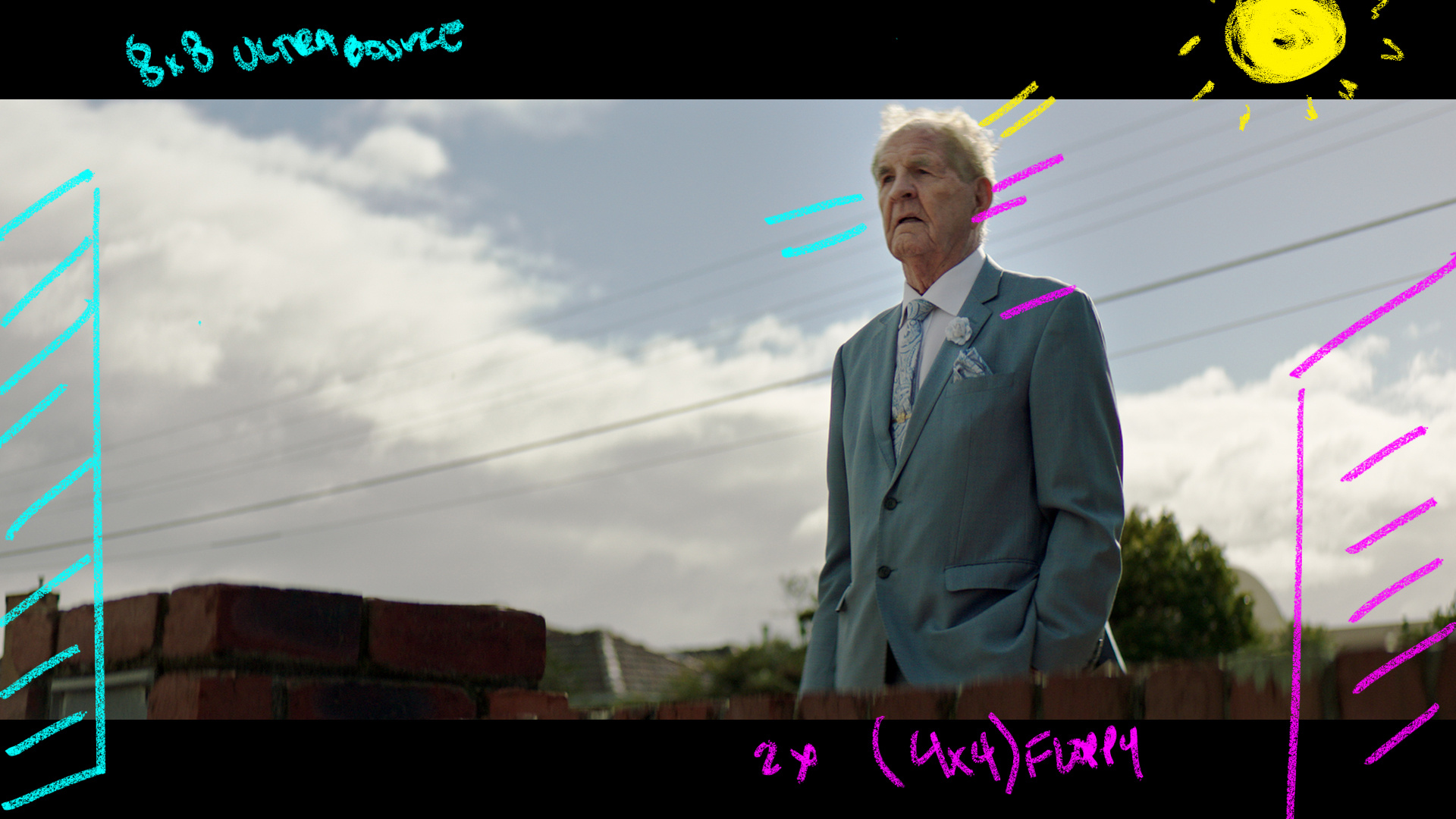
We were lucky hee to get a sunny moment and used that as a backlight then used an 8×8 of Ultrabounce from frame left to give us the return that we needed. Frame right is a 4×4 floppy in the hand to help create some contrast.
The Result
Shot #7 – The Super
The Shots
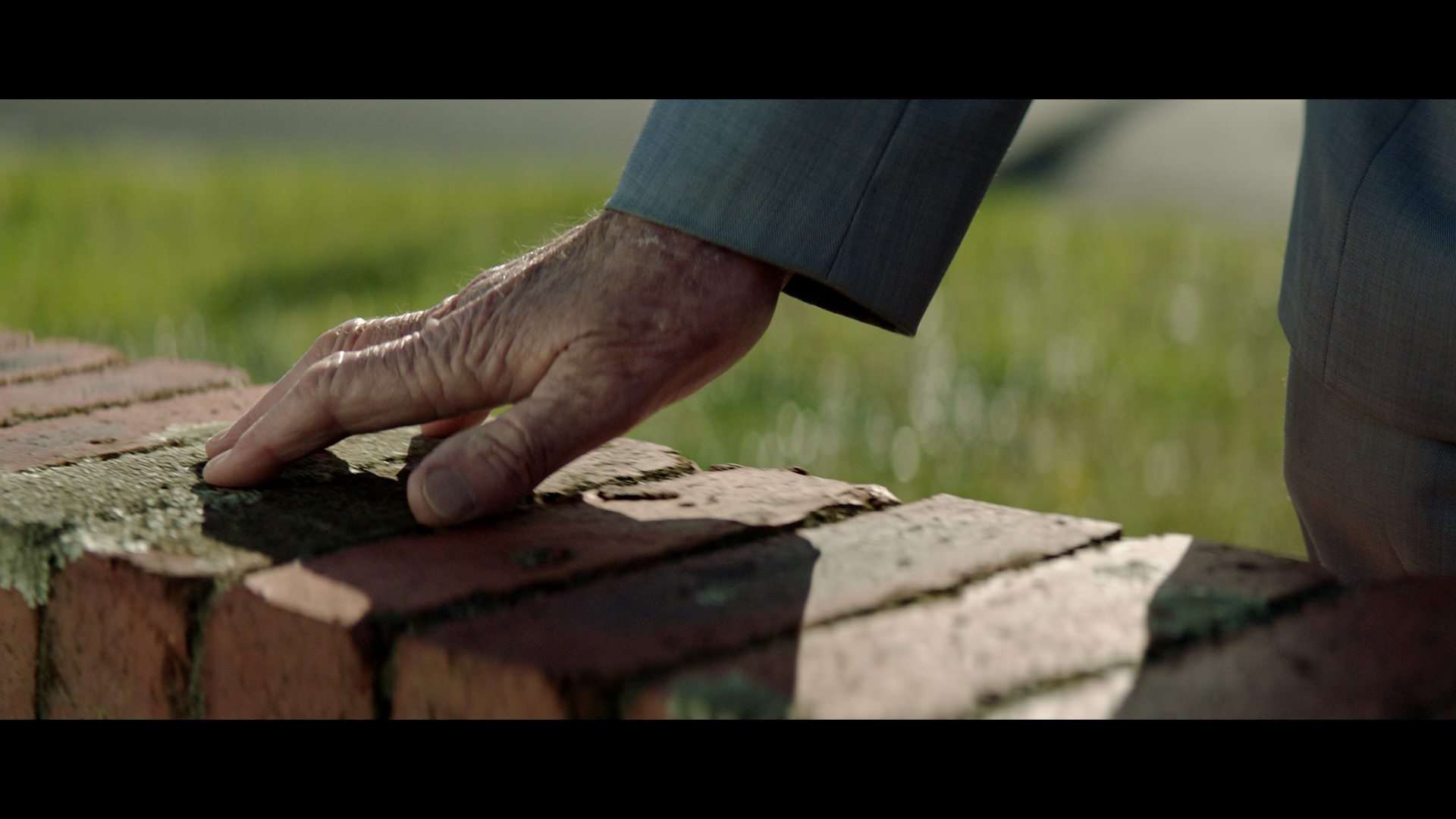
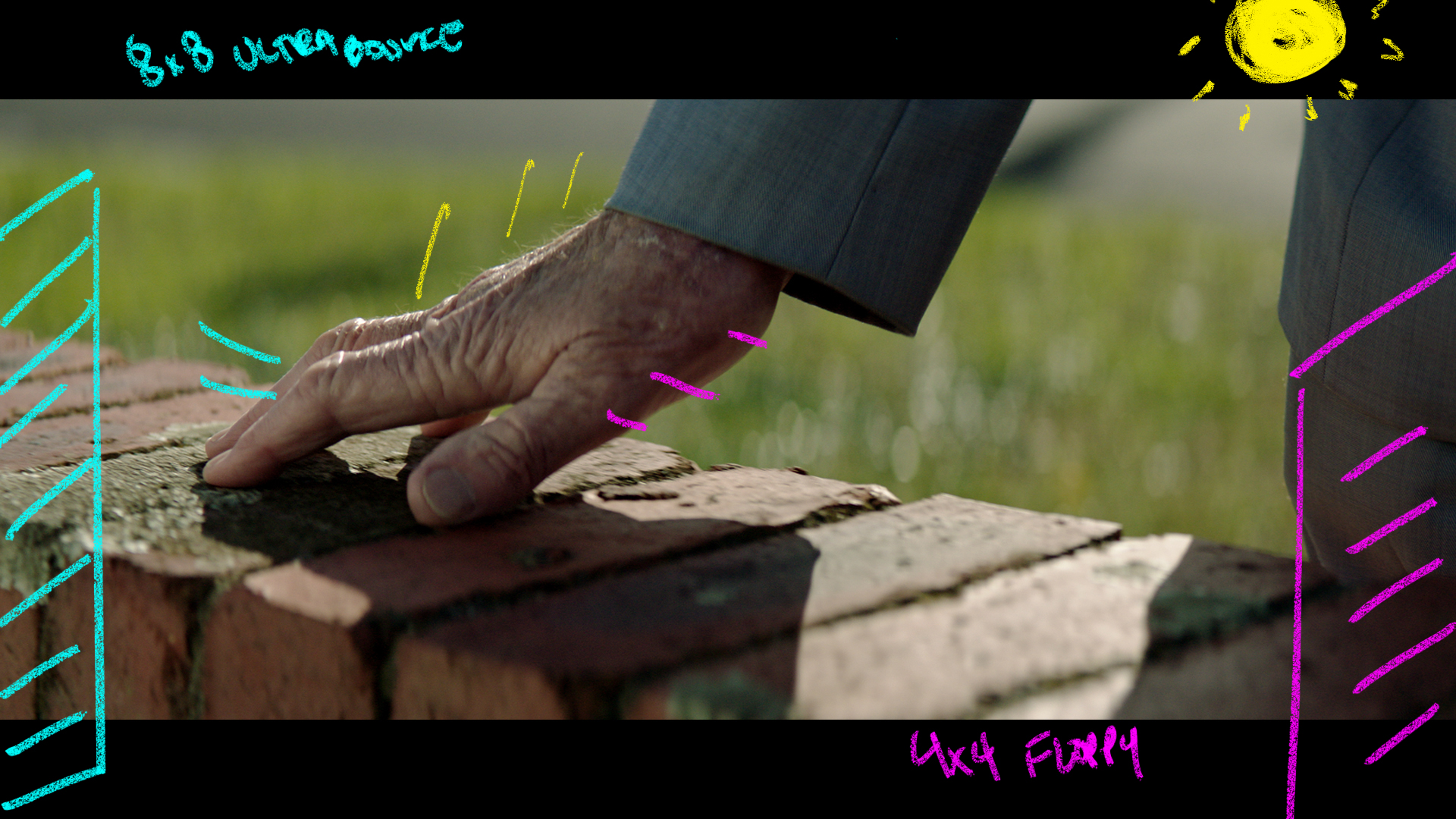
Another CU of the hand dragging along the bricks of the first house.
The Lighting
Same set up as above.
The Result
Shot #7 – The Super
The Shots
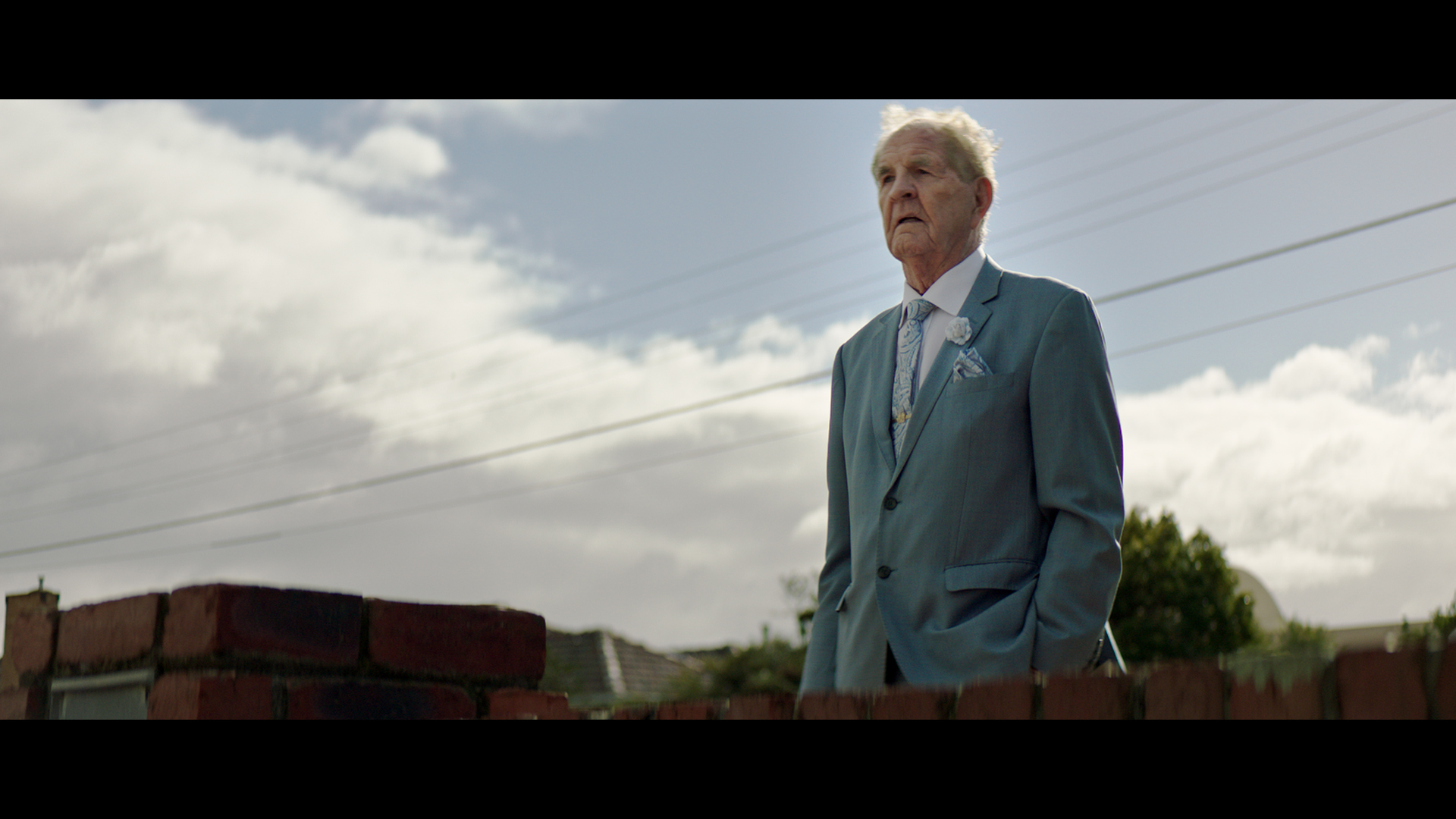
We finished off the sequence looking this direction with a wider look at the owner.
The Lighting
Here you can see the difference the exact same lighting modifiers can have when paired with a wider shot. We used the same 8×8 Ultra and Neg Fill but their impact on the contrast is lessened as the wider shot meant we had to be further away from the subject.
The Result
Shot #7 – The House Reverse
The Shot
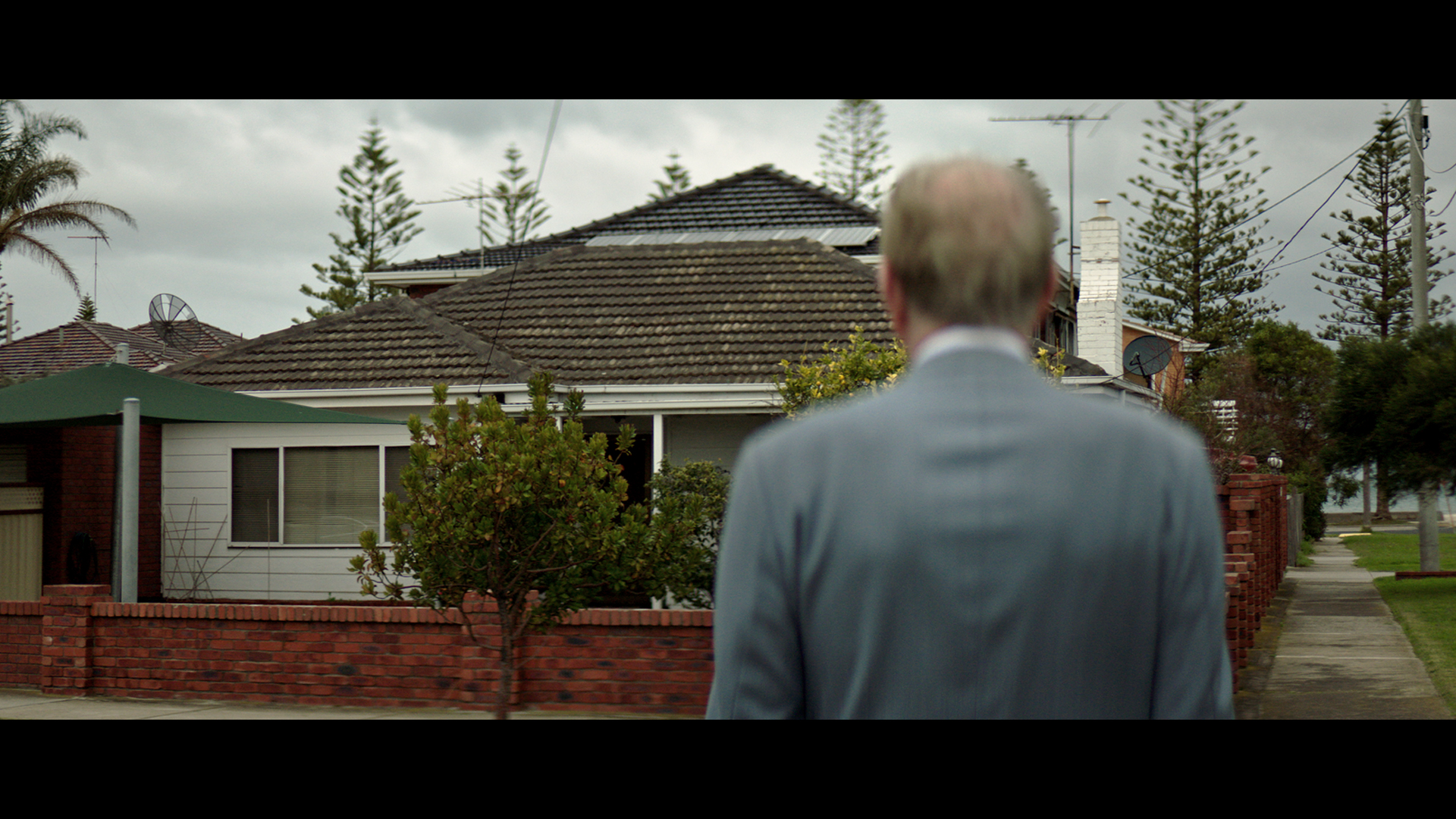
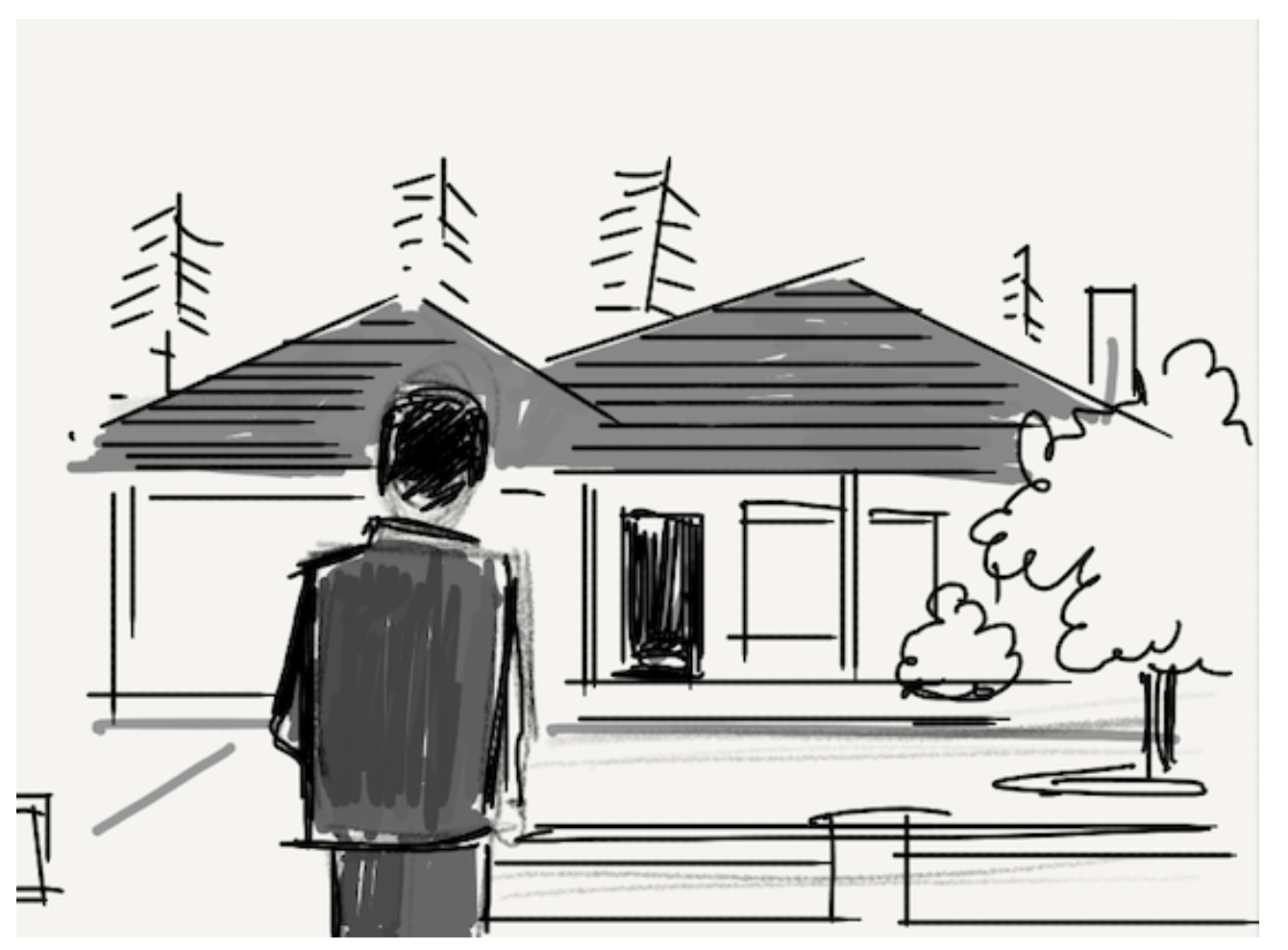
We cut to reveal the house with the owner in the foreground.
The Lighting
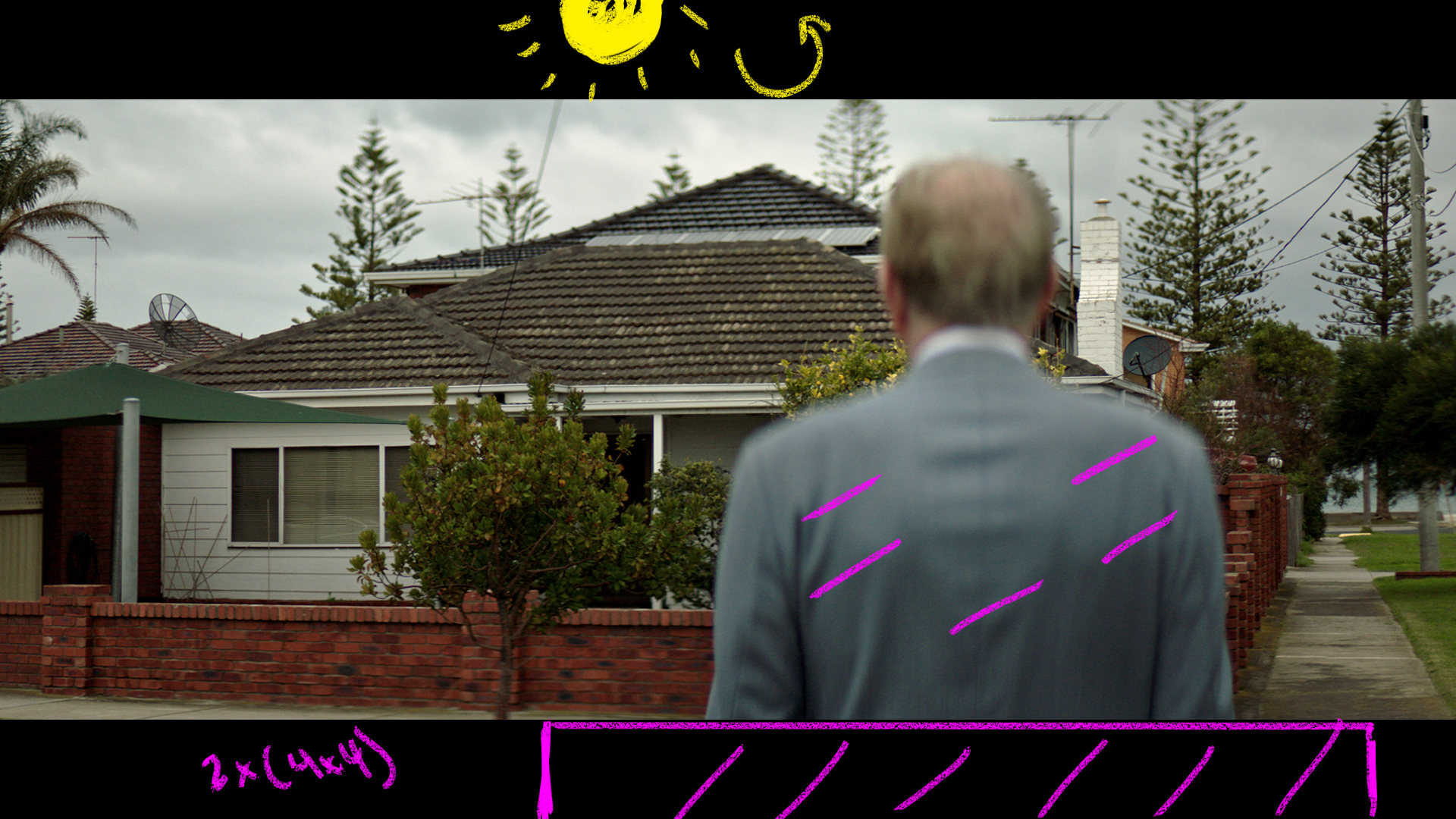
We got real lucky here that it clouded over as this house was getting blasted with front light the entire time we were shooting the other shots at this location.
The clouds rolled in and we quickly spun around, added some neg to the foreground behind the camera, and fired this one off.
The Result
Shot #7 – The Super
The Shot
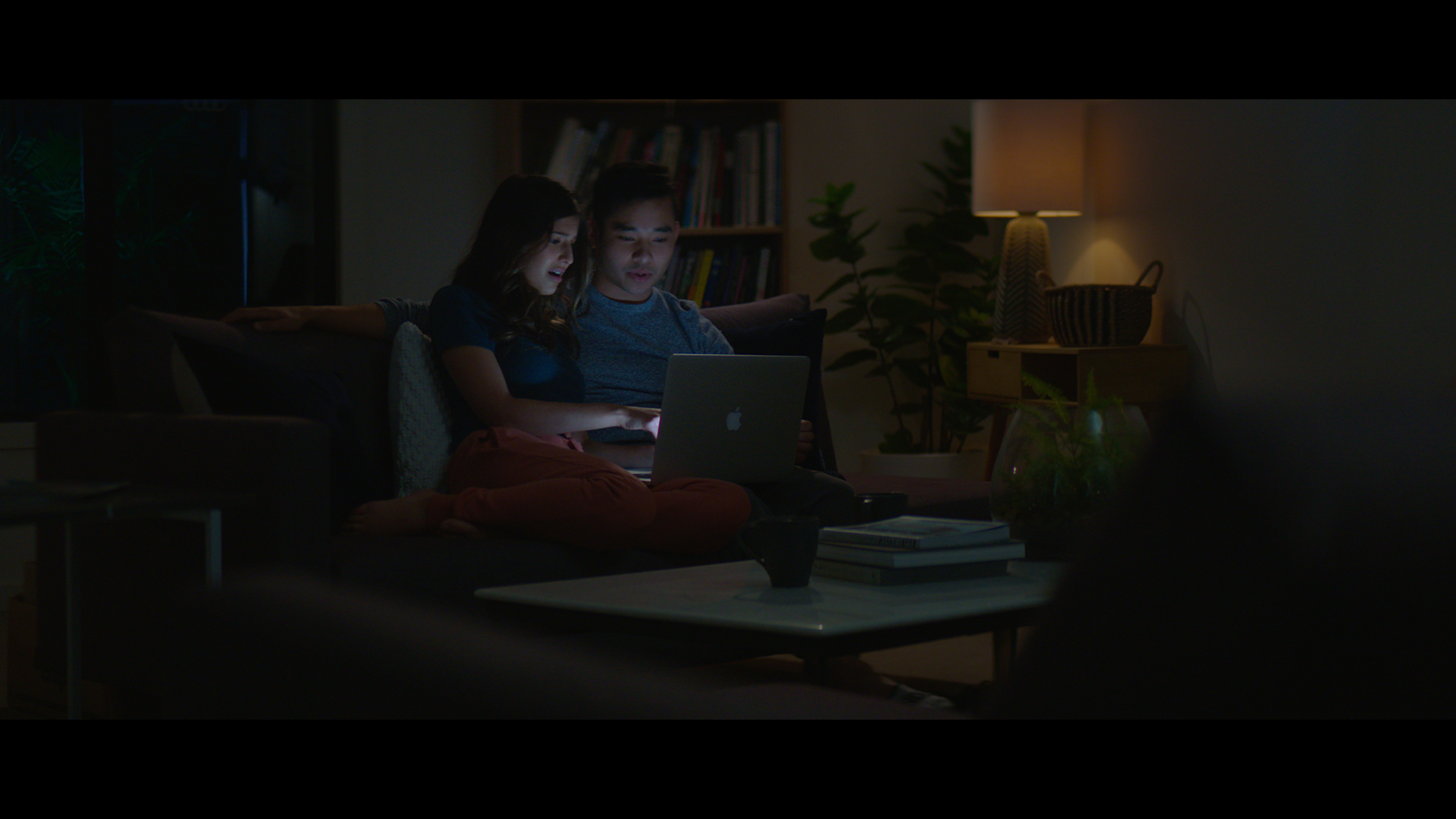
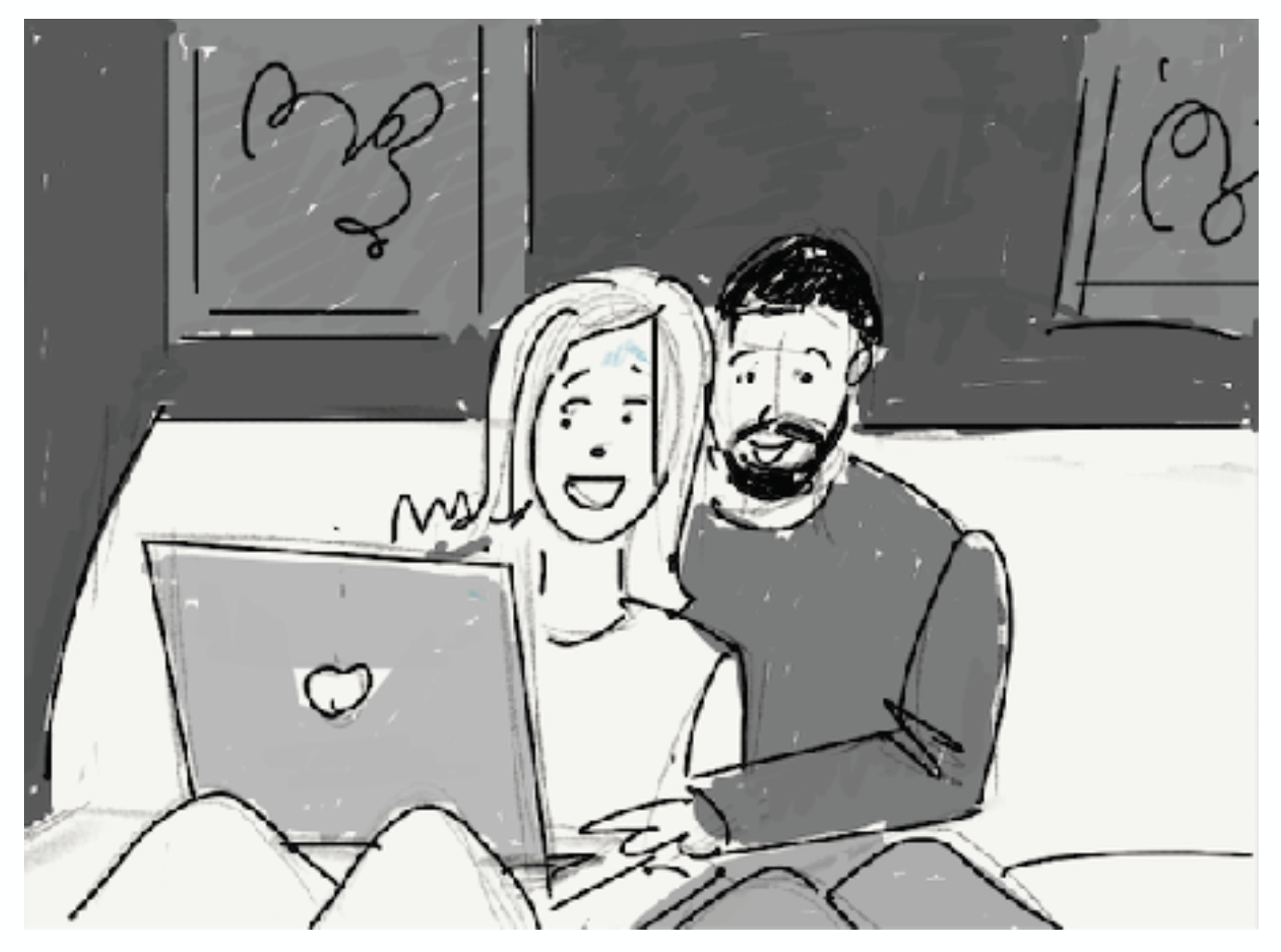
In this sequence we see a couple looking at a laptop in a night time living room.
The Lighting
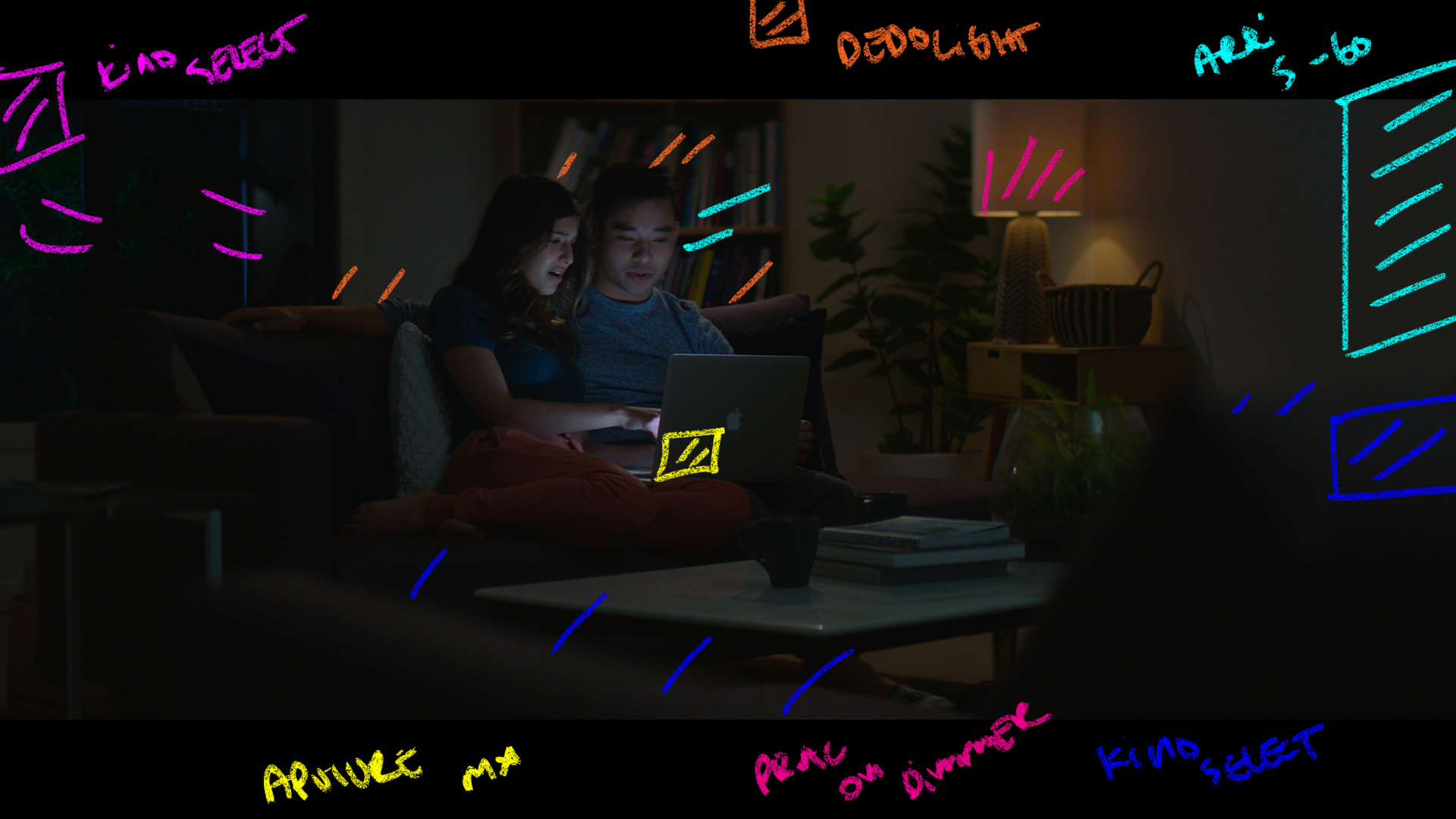
Here we used a S-60 from frame right through a soft box with a grid on it as the key. It was helping to give the laptop light a bit more spread.
In the foreground to create some separation we had a kino select to back light the furniture we were shooting through.
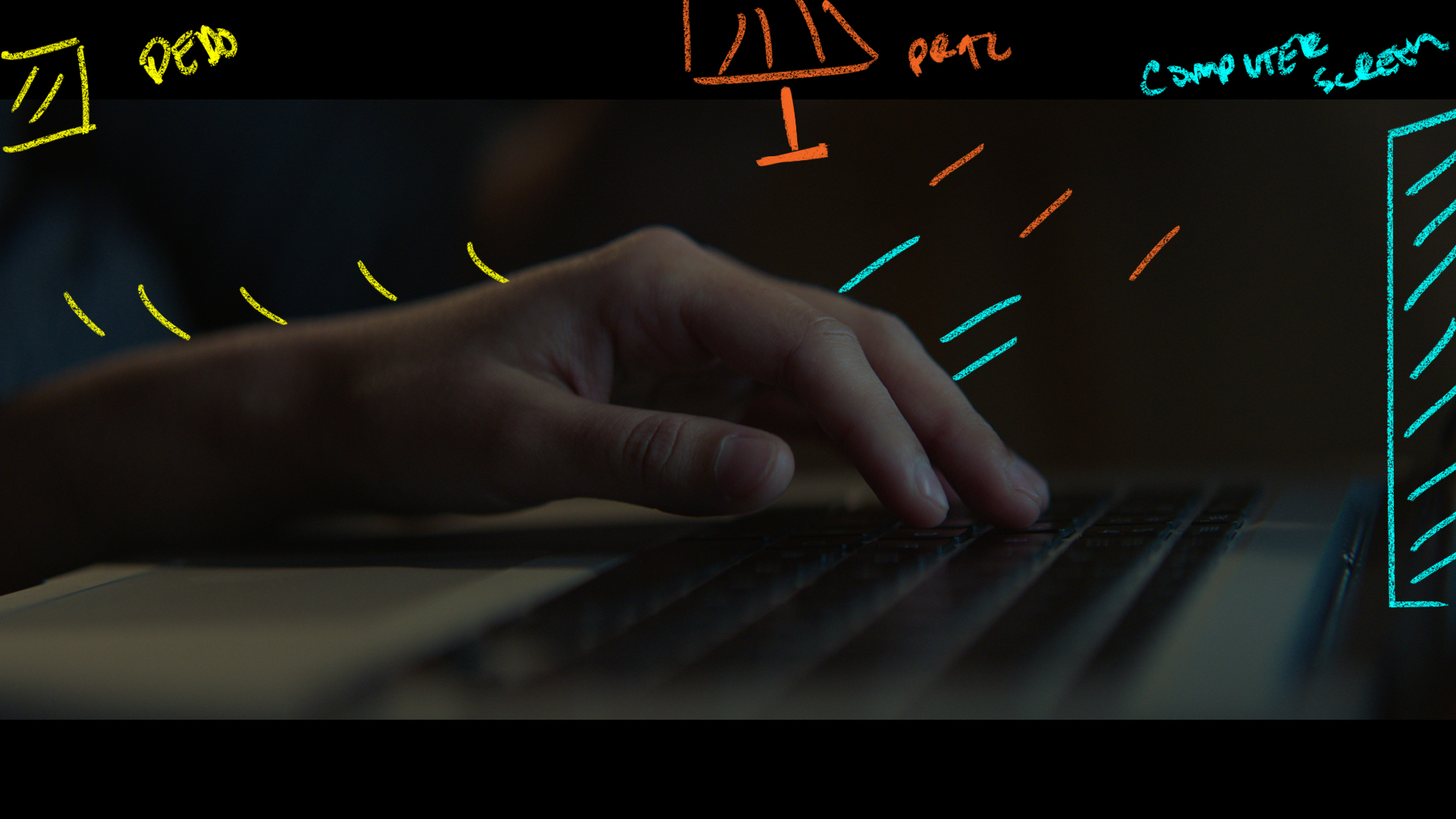
For the talent we had a small Aputure light on the laptop, then a Dedolight above the frame on the right hand side. It was dimmed way down to give it some warmth and to have it sit in the exposure range.
Outside the window we had another kino select to help lift us just out of complete darkness.
The Result
Shot #7 – The Super

The Shots
A CU of the fingers tapping away at the keys.
The Lighting
Same set up as before but we removed the Aputure light on the laptop and balanced the other lamps to the new levels of the laptop light.
The Result
This week on the podcast we look at a challenging VFX heavy spot made even more difficult by a very small shoot location. No studios here as we make a flight simulator room work for our blue screen cockpit shots.
One of the best parts of the job is that no two jobs are the same and this one certainly had it’s suprises.
Enjoy the behind the scenes look!
Patreon Podcast: The Hateful Eight
On the Feature Film breakdown this week we are taking a look at The Hateful 8.
Tons of elements to talk about in this one from the anti-aircraft size cameras they were using to the classic Bob Richardson ASC top light look.
IF you missed last week’s Patreon live stream you can catch the replay up on Patreon as well. Be sure to get your sites and projects in if you’d like them featured on the next show.
You can find this week’s Patreon content by clicking the link below:
The Wandering DP Patreon Group
If you are a fan of the podcast and want more video content the patreon group is the place to be. Each and every week I release an exclusive podcast, video, or live stream just for the Patreon members.
Patreon members also get access to the Private Facebook community for the show. The podcast couldn’t exist without the Patreon support and I do my best to take care of the supporters.
Our Sponsor:
Shot Lister are generously giving away 50 free downloads to the Wandering DP Podcast community. All you have to do to claim your copy is email wanderingdp@shotlister.com. Get in before they are all gone!
Soft Light in Hard Places – The Spot
All the gear for this was standard issue for a TVC. The only added element was the Movi Pro and the A! Alpha Wheels to help yours truly be able to operate in such a confined area.
Camera Gear:
Check out the gear I use on all of my commercial shoots by clicking the link below:
Wandering DP Commercial Cinematography Gear
The only kit not listed on that page is the set of Vintage Cooke Panchros we used on this one.
For lighting we went almost all LEDs with Astera Titans, Arri Skypanels, plus an Arri M18 and a Joker 800.
The Spot – Soft Light
Set Up #1 – The Two Shot
The Shots
The ad opens on a pair of pilots in a commercial plane cockpit.
We needed to be wide enough to see where we were but we still keep it interesting.
The Lighting
The area we were lighting was extremely cramped. In an ideal world we would have built the cockpit on a stage and then had complete control of where to place fixtures and distance of the lights from the subjects.
In reality we ended up in a space that only one person could stand in at a time and still needed to figure out a way to make it look believable.
We used a combination of Arri Skypanels, Astera Titan Tubes, and a single Joker 800 to give us all the shape we could fit in to the space we had.
The Result
The Storyboard
Set Up #2 – The In Cabin Singles
The Shots
The two shot raking across the two pilots.
The Lighting
We kept all of the outside lights in their previous spots.
Lighting everything from the outside made a move like this very quick. We turned off the lights inside to help give it some shape and made some minor adjustments to the Joker 800 to get a better angle on the hard light.
The Result
The Storyboard
Set Up #3 – The Matching Reverse
The Shot
The reverse of the previous shot.
The Lighting
Here we moved the Joker 800 less frontal and then turned on one of the inside Astera Tubes to help edge out the pilot in the foreground.
Everything else remained unchanged.
The Result
The Storyboard
Set Up #4 – The Approach
The Shots
This was the most challenging shot from a time perspective. We moved from inside the tiny flight simulator in to a giant warehouse space that needed to be set and lit.
The Lighting
We used a combination of frames and lights to create hard and soft light top mimic the sun and the ambient sky levels.
We used an Arri M18 through a 12×12 for our sun edge from camera left then added a Skypanel S-60 through a 12×12 to help wrap the sun light around our talent’s face. Finally we used a bounce frame right to help add to the ambient and used a slightly cooler color temp to play more blues in the shadows.
The Result
The Storyboard
Set Up #5 – The Take Off
The Shots
Top down shot of the talent spotting the airplane from the ground.
The Lighting
We rotated the turntable and we used the M18 through a 12×12 with the 4×4 frame removed to have a bit harsher shadows and a bit more contrast. We also used the S-60 frame left to add some fill in the shadows.
The Result
The Storyboard
Shot #6 – The Fly By
The Shots
We used this shot to comp on top of the cockpit footage so that it appeared as though our talent was flying alongside the plane.
The Lighting
The only change here was adding a Joker 800 through a 4×4 frame left to help add a bit of hard edge to our talent.
The Result
The Storyboard
Shot #7 – The Super
The Shots
The super shot.
The Lighting
All the lighting remained from the previous set ups as we hunted for various angles to lay the super over. They ended up choosing a frame with some dirty foreground window elements which always helps to create depth.
The Result
Shot #7 – The Super
The Shots
We used this shot to comp on top of the cockpit footage so that it appeared as though our talent was flying alongside the plane.
The Lighting
The only change here was adding a Joker 800 through a 4×4 frame left to help add a bit of hard edge to our talent.
The Result
Shot #7 – The Super
The Shots
We used this shot to comp on top of the cockpit footage so that it appeared as though our talent was flying alongside the plane.
The Lighting
The only change here was adding a Joker 800 through a 4×4 frame left to help add a bit of hard edge to our talent.
The Result
Shot #7 – The Super
The Shots
We used this shot to comp on top of the cockpit footage so that it appeared as though our talent was flying alongside the plane.
The Lighting
The only change here was adding a Joker 800 through a 4×4 frame left to help add a bit of hard edge to our talent.
The Result
Shot #7 – The Super
The Shots
We used this shot to comp on top of the cockpit footage so that it appeared as though our talent was flying alongside the plane.
The Lighting
The only change here was adding a Joker 800 through a 4×4 frame left to help add a bit of hard edge to our talent.
The Result
Shot #7 – The Super
The Shots
We used this shot to comp on top of the cockpit footage so that it appeared as though our talent was flying alongside the plane.
The Lighting
The only change here was adding a Joker 800 through a 4×4 frame left to help add a bit of hard edge to our talent.
The Result
Shot #7 – The Super
The Shots
We used this shot to comp on top of the cockpit footage so that it appeared as though our talent was flying alongside the plane.
The Lighting
The only change here was adding a Joker 800 through a 4×4 frame left to help add a bit of hard edge to our talent.
The Result